
A flip badge reverse camera combines a hidden camera with a motorised tailgate badge. This guide explains how to connect the RCD330 camera kit, test it before routing the cables, and diagnose the most common installation problems.
Scope: The numbered connections below refer to the loom shown in this guide. Connector styles and vehicle wiring can vary. Match the instructions to your supplied kit and confirm the vehicle connections before applying power.
1. Check compatibility before installation
Choose the correct camera version for your model and body style. The original installation examples cover Golf MK6/GTI, Polo, CC, EOS, Beetle, European Passat models, and selected Golf MK7/MK7.5 applications. This is not a guarantee that one badge assembly fits every vehicle in that list.
- Golf MK5: Installation requires minor cutting around the rear-wiper mechanism. Review the customer installation video before starting.
- Polo: A model-specific mounting bracket may be required. Specify your vehicle when ordering.
- Passat: European and North American versions use different tailgate arrangements. Confirm the exact generation and body style.
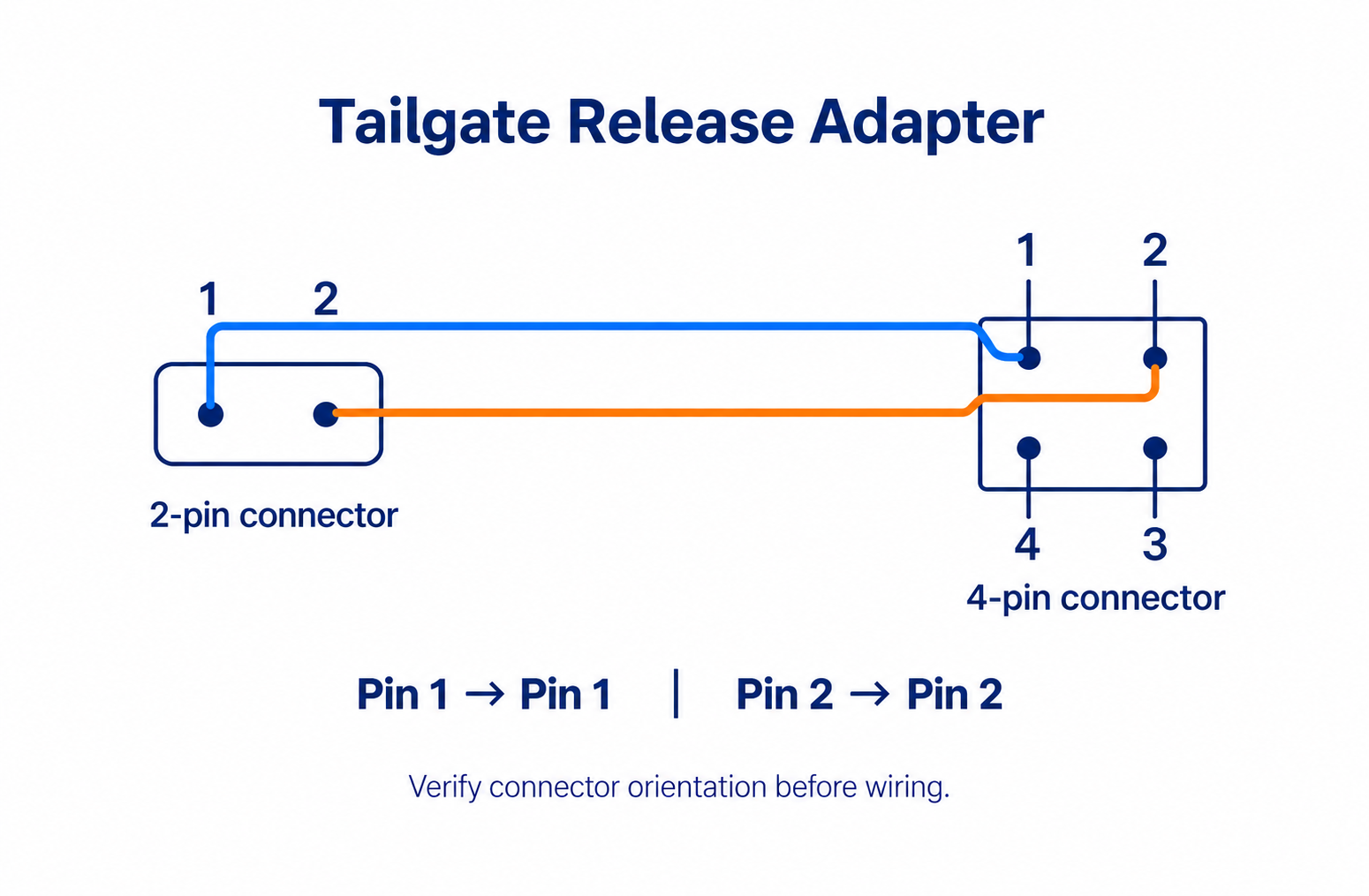
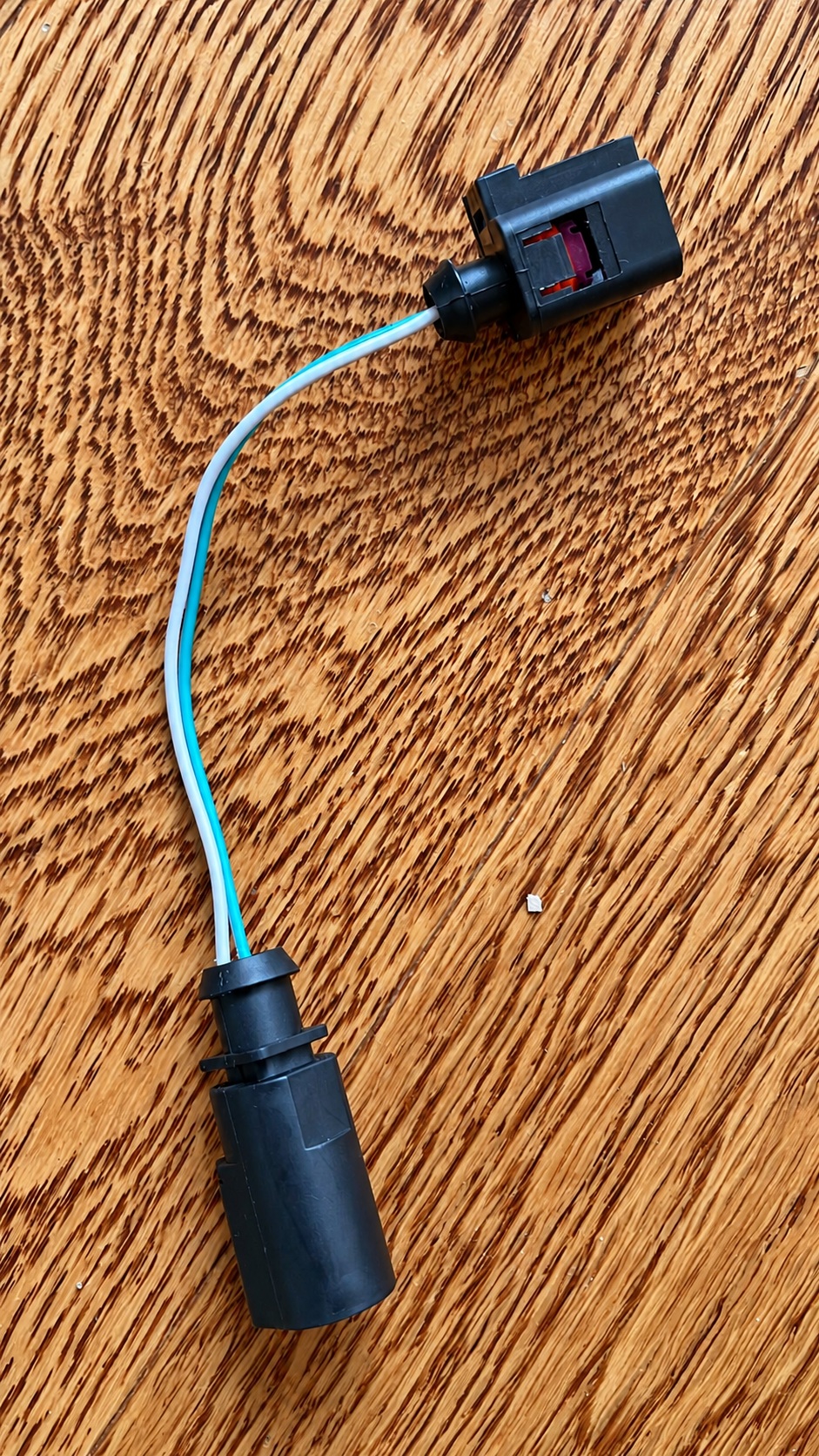
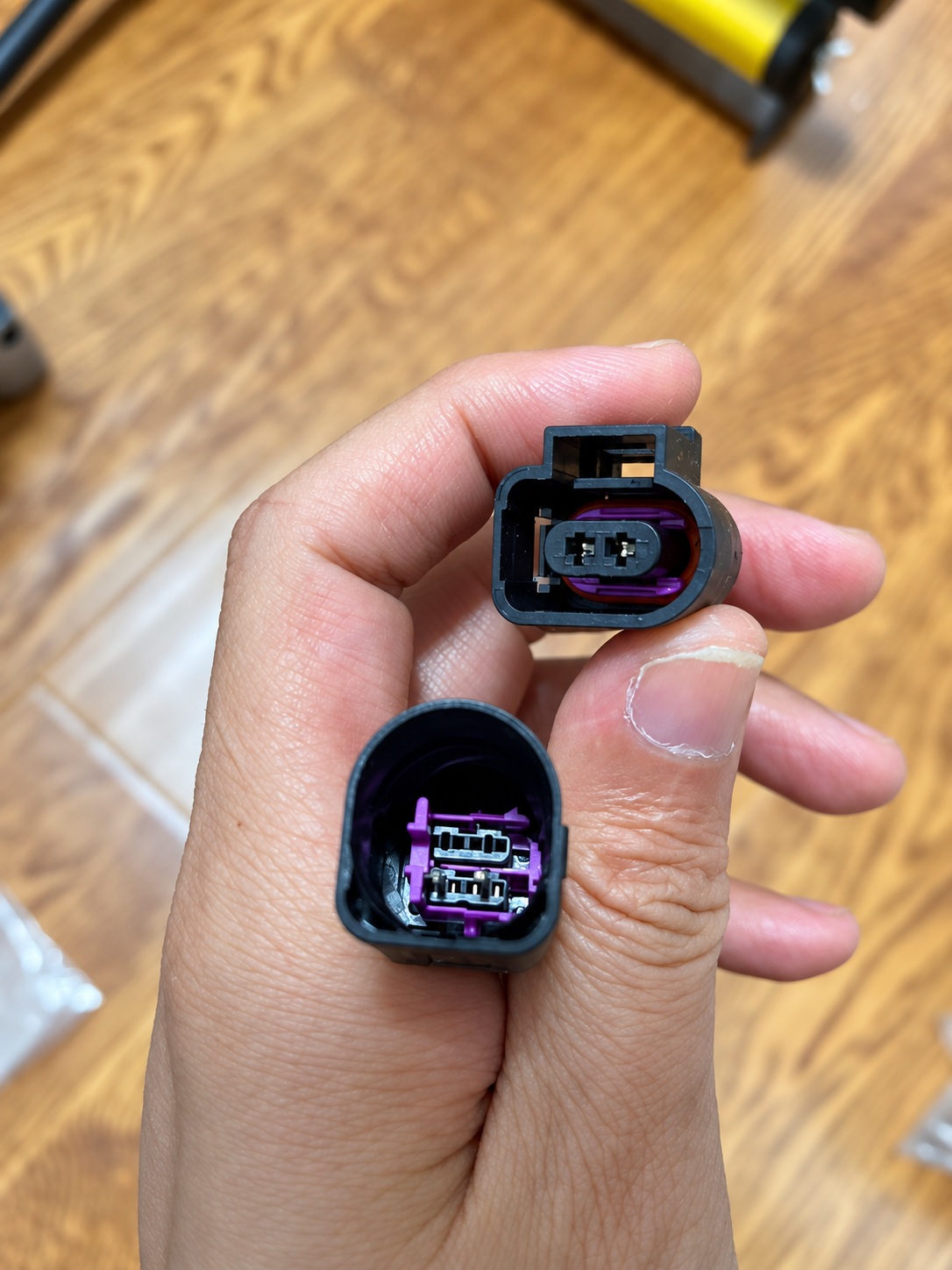
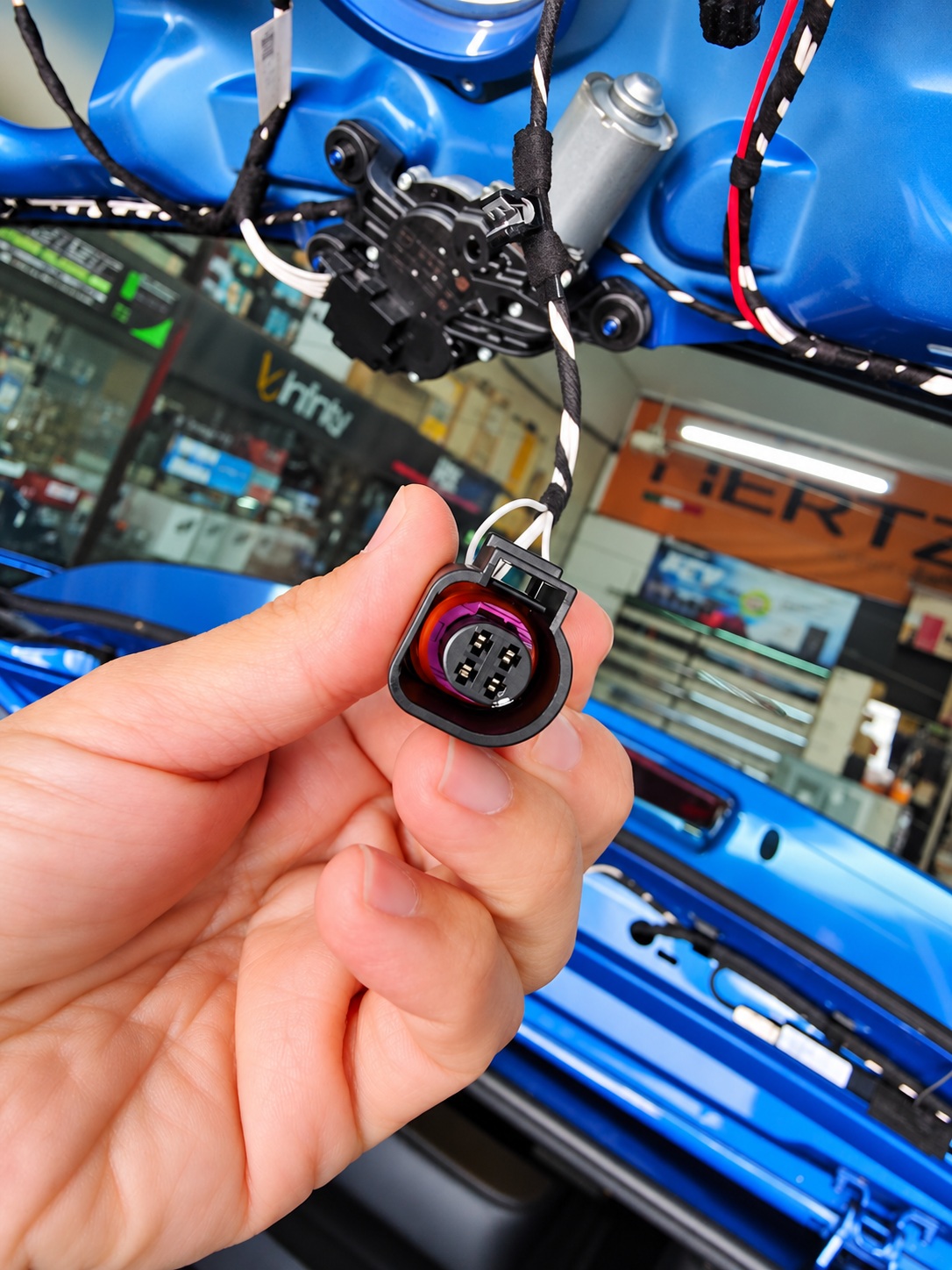
- Existing factory flip camera: Check the tailgate-release connector. A four-pin vehicle connector may require the four-pin-to-two-pin adapter shown below. Replacing the camera does not automatically make an original RGB camera compatible with an RCD330.
The head unit must support the camera’s video signal and have its reverse-camera function enabled. With an RCD330, select ON when a compatible camera will be connected. Do not assume that every aftermarket radio or factory camera uses the same signal format or pin assignment.
2. Test the complete kit before concealing the wiring
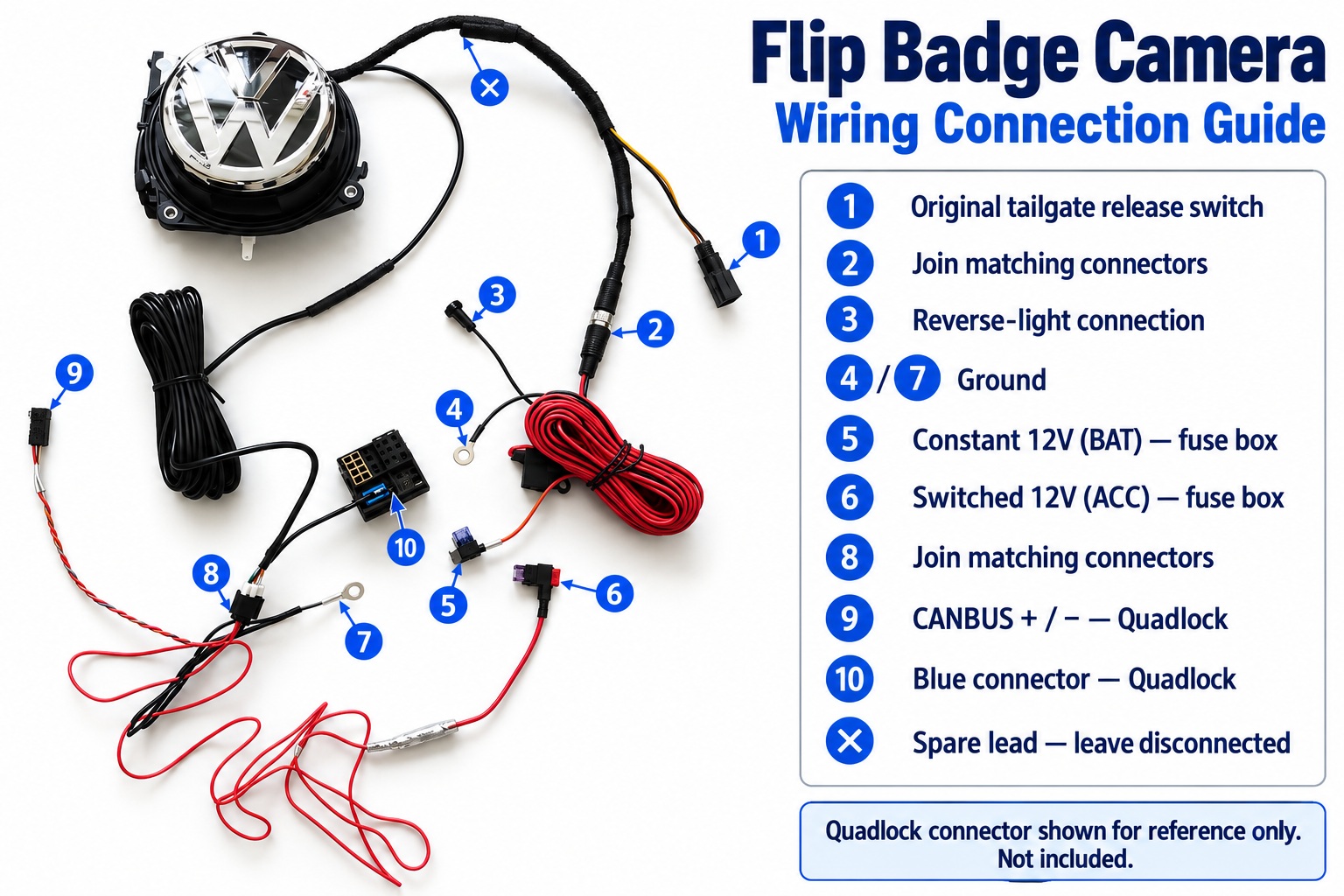
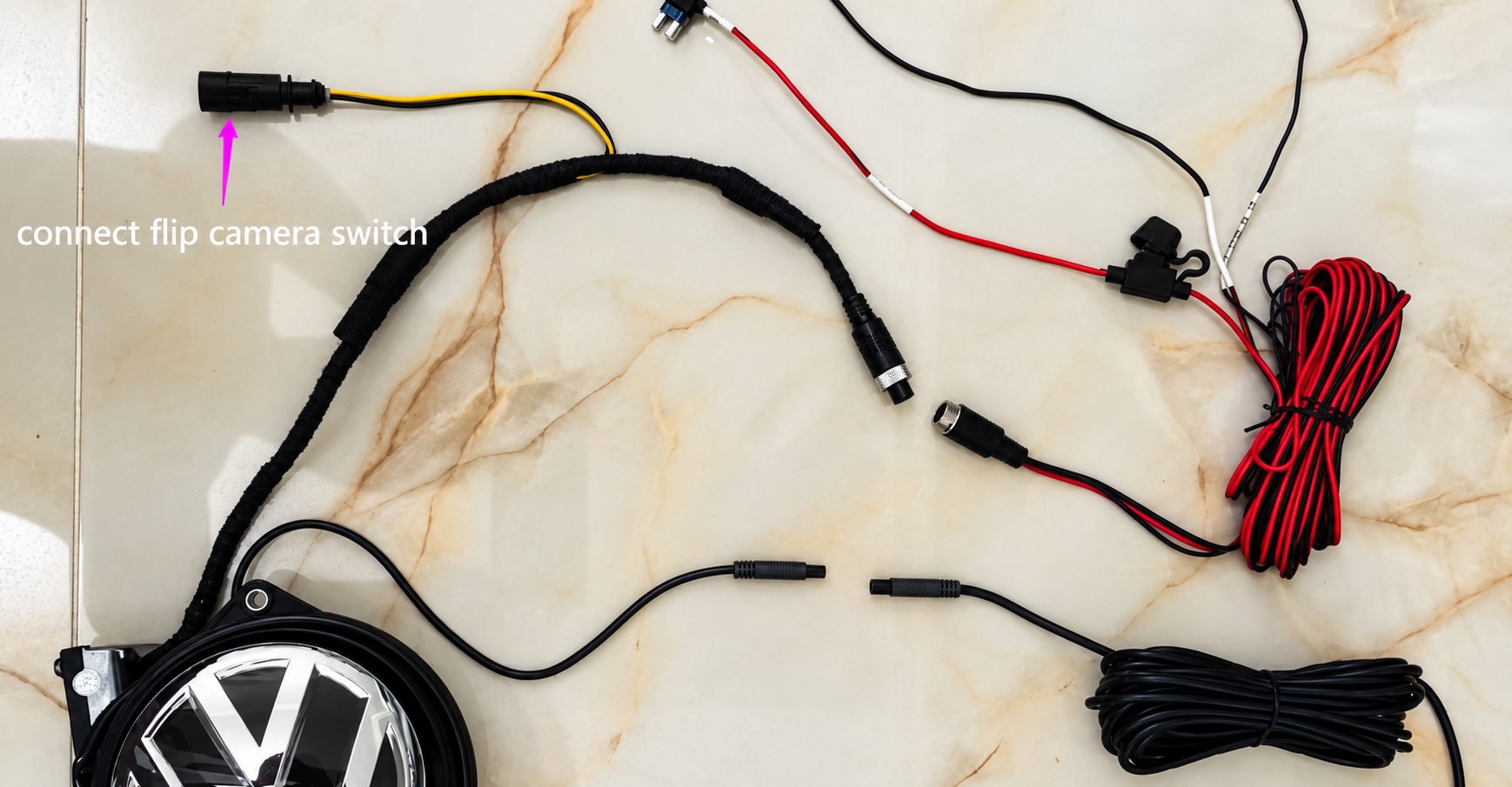
- Lay out the camera and loom. Identify each connector using the numbered overview.
- With power isolated, make the required power, ground, reverse-light, video and CANBUS connections. Use the vehicle wiring information and a meter to identify the correct circuits.
- Secure the vehicle, apply the parking brake and keep people clear of its path. Reconnect power as required for testing and close the tailgate.
- Check that selecting reverse opens the badge and produces a clear image. Also check the guidelines, badge retraction and normal tailgate release.
- Only after the test succeeds, secure the assembly, route the loom and reinstall the trim. Keep cables away from moving parts, sharp edges and pinch points.
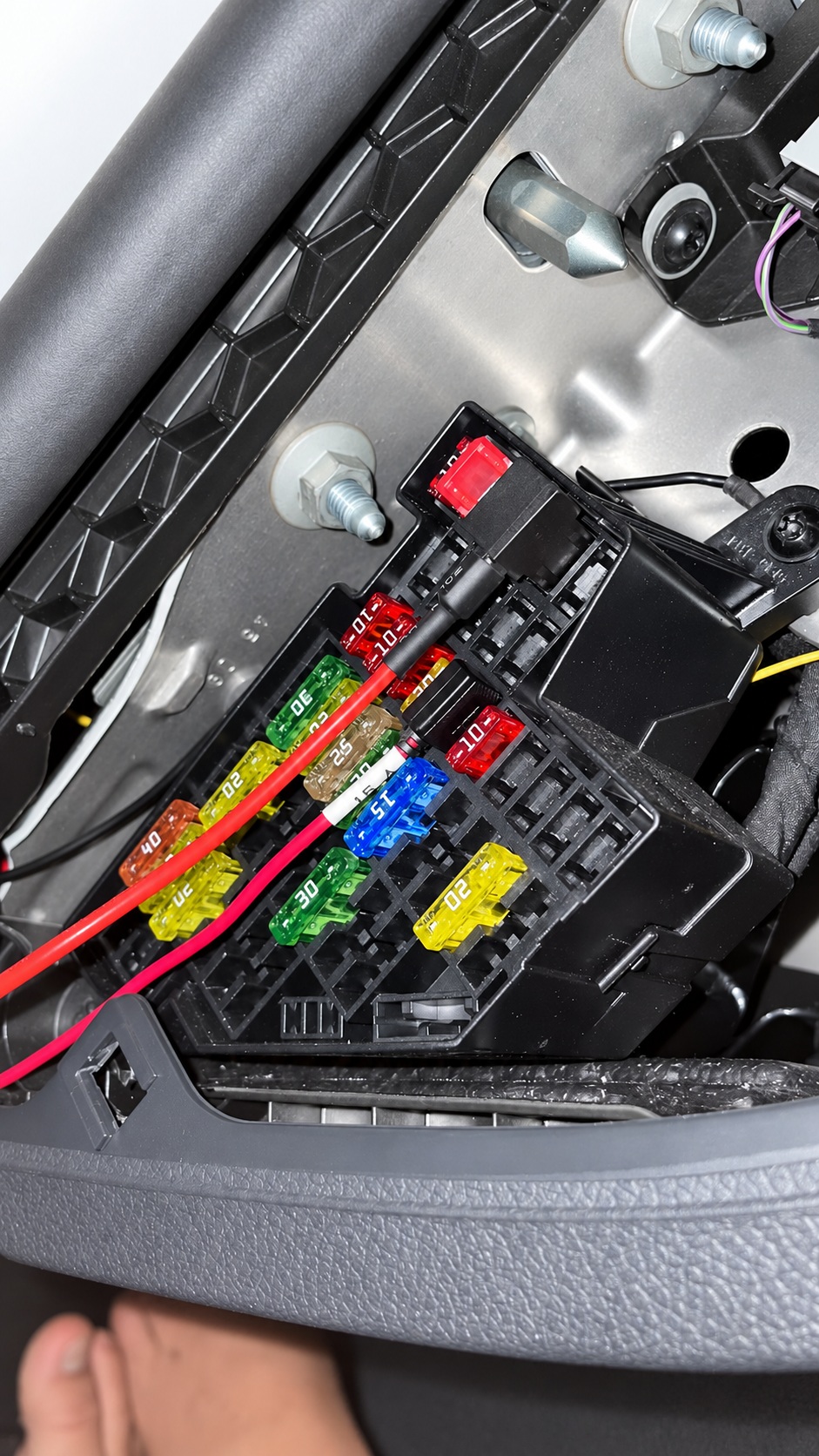
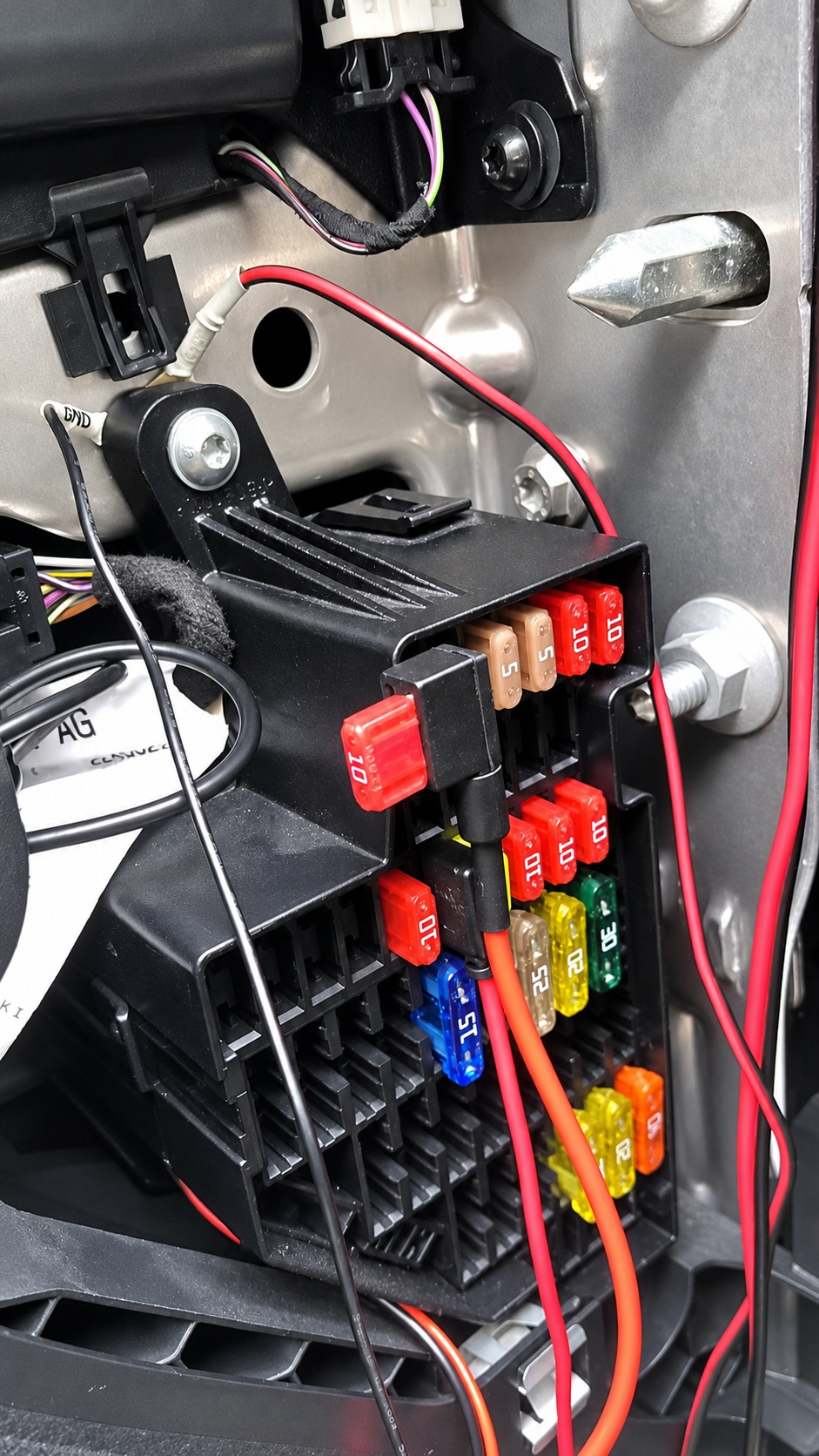
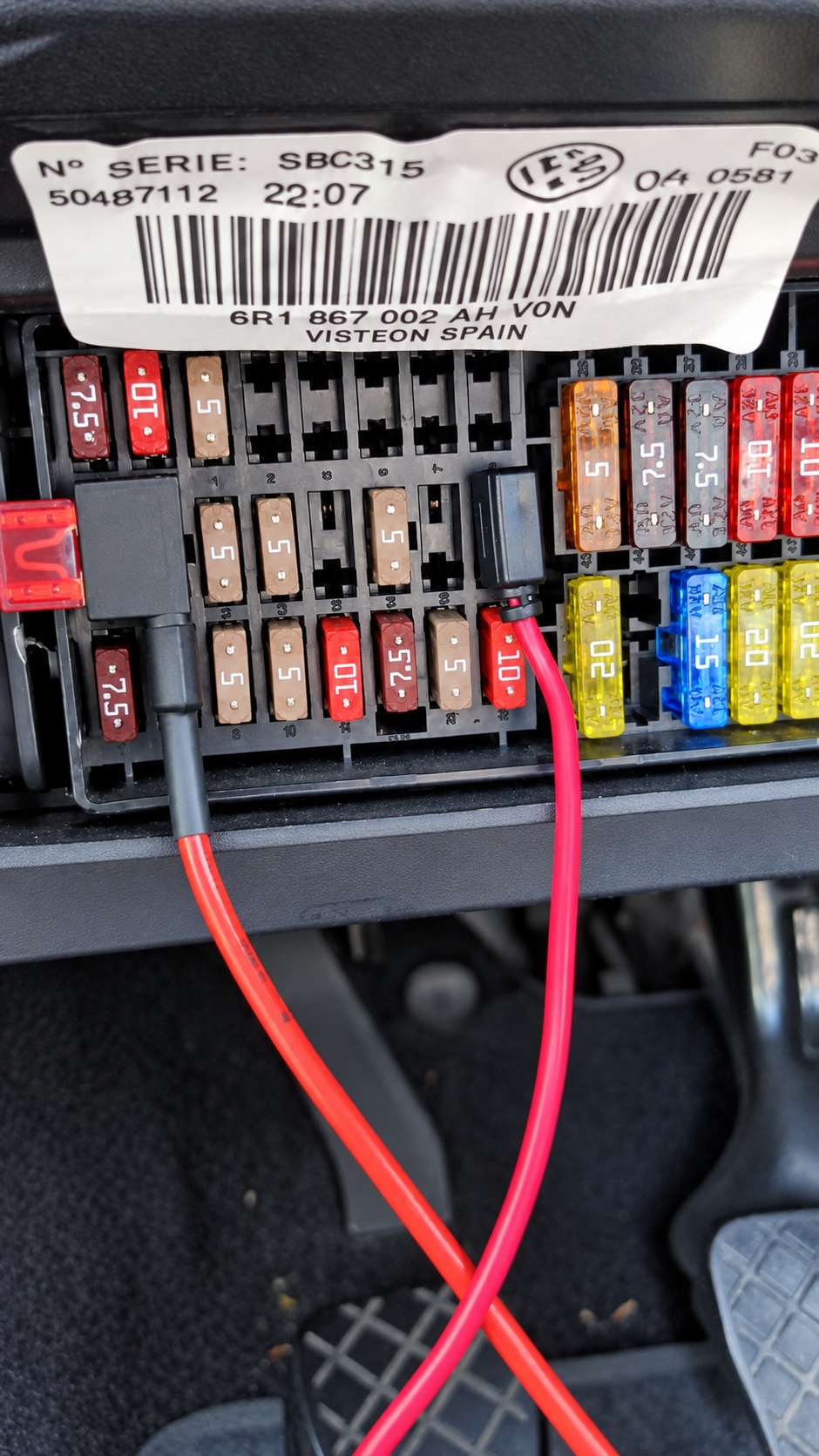
Important: The fuse-box photographs are examples, not universal fuse-slot assignments. Check constant and switched supplies on your own vehicle. Do not choose a fuse position solely because it looks like the photograph.
3. Understand the wiring
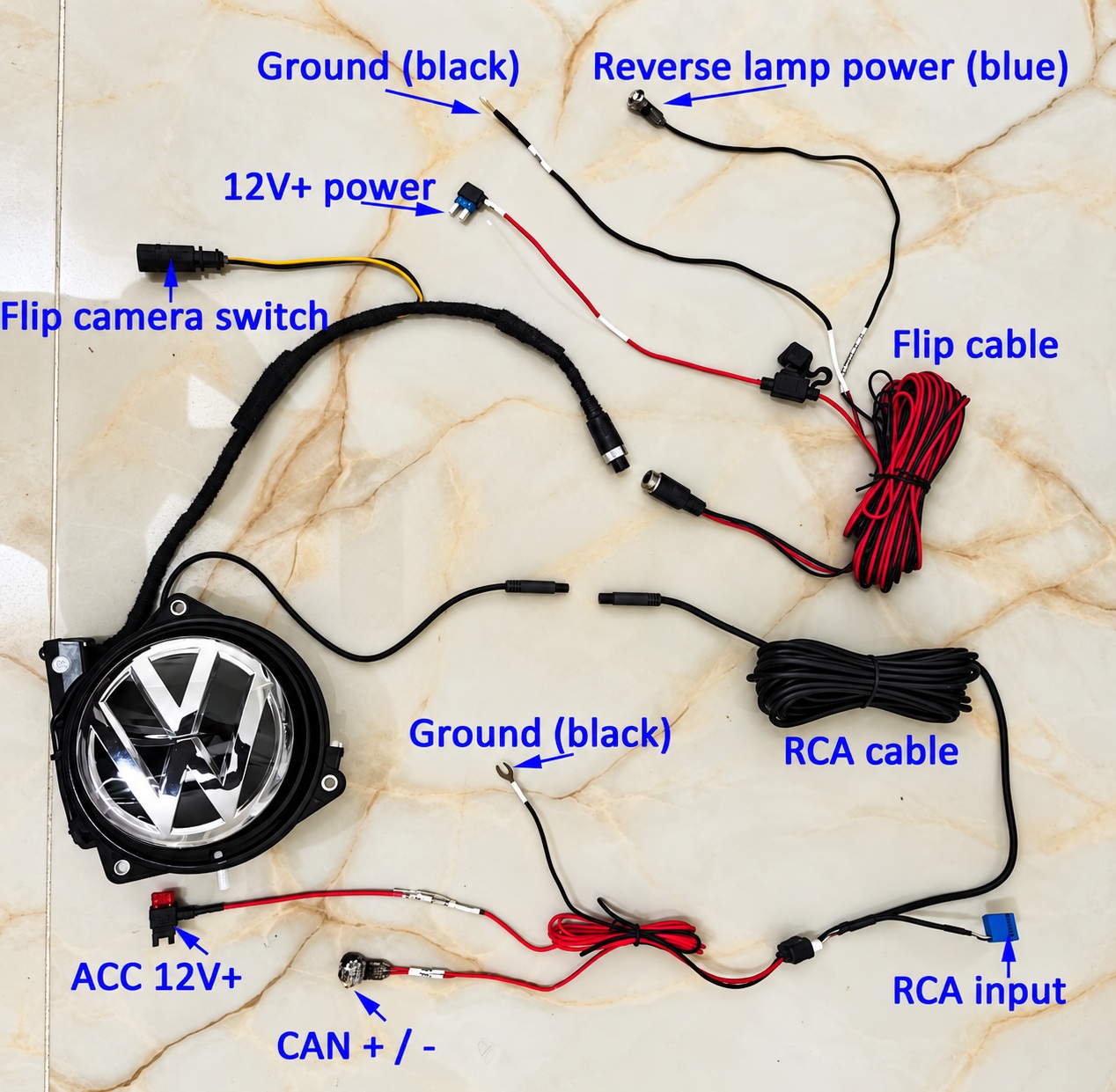
The badge motor and the camera have separate power paths. Connections 2–5 serve the badge mechanism; connections 6–10 serve the camera, video and CANBUS functions. Connection 1 interfaces with the original tailgate-release switch.
| Connection | Purpose | What to check |
|---|---|---|
| 1 | Original tailgate-release switch | Use the matching vehicle connector or the correct latch adapter. |
| 2 | Badge-motor loom connector | Join the matching plugs and secure the locking connection. |
| 3 | Reverse-light trigger | Connect to the correct reverse-light circuit. This triggers the badge mechanism. |
| 4 | Badge-motor ground | Use a clean, secure chassis ground with direct metal contact. |
| 5 | Constant 12V battery supply (BAT) | This powers the badge mechanism and must remain available with the ignition off. |
| 6 | Switched 12V camera supply (ACC) | Use the specified ignition-switched circuit so the camera is not permanently powered. |
| 7 | Camera ground | Check continuity and a tight chassis connection. |
| 8 | Camera loom connector | Join the matching plugs fully. |
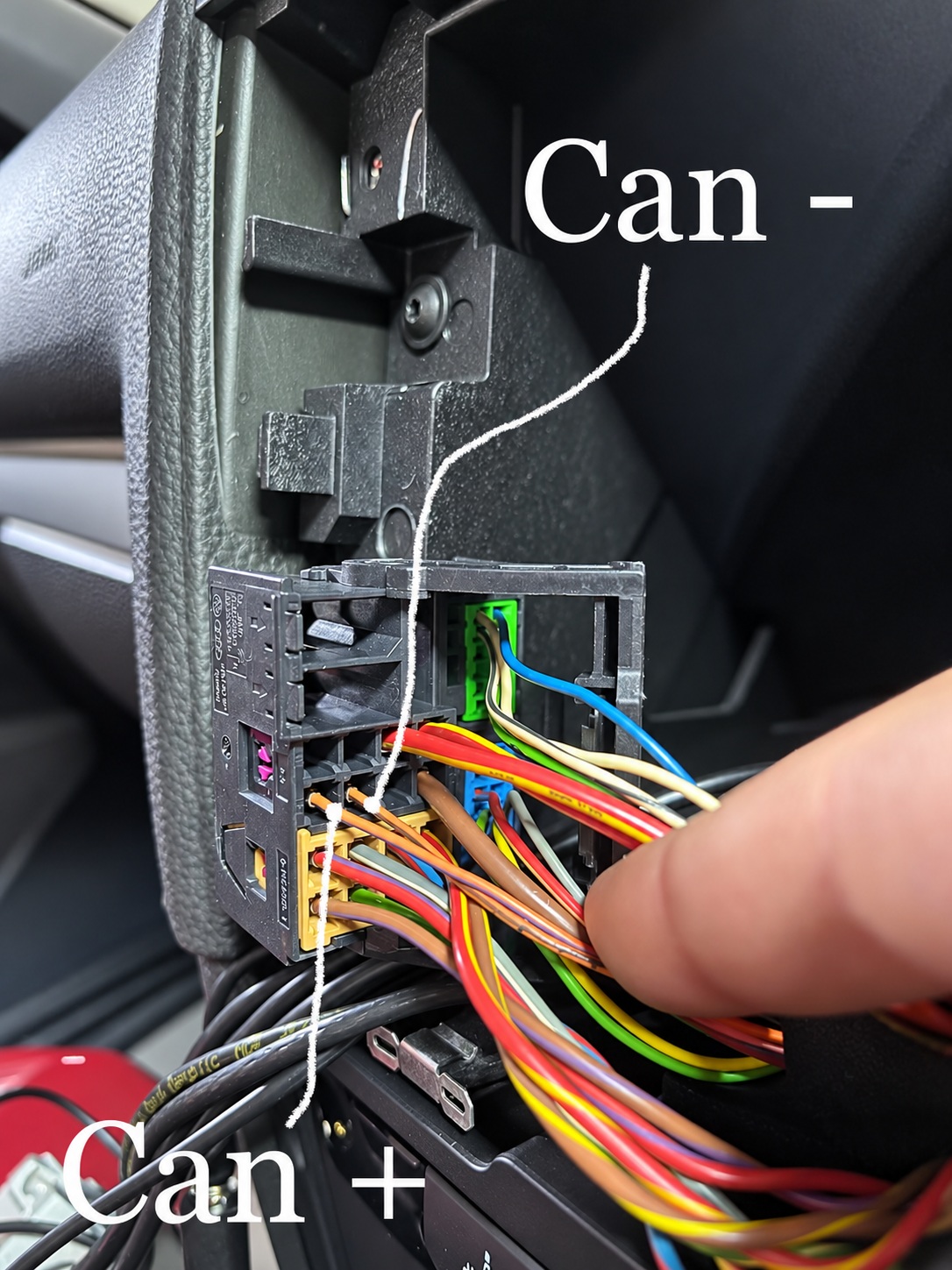
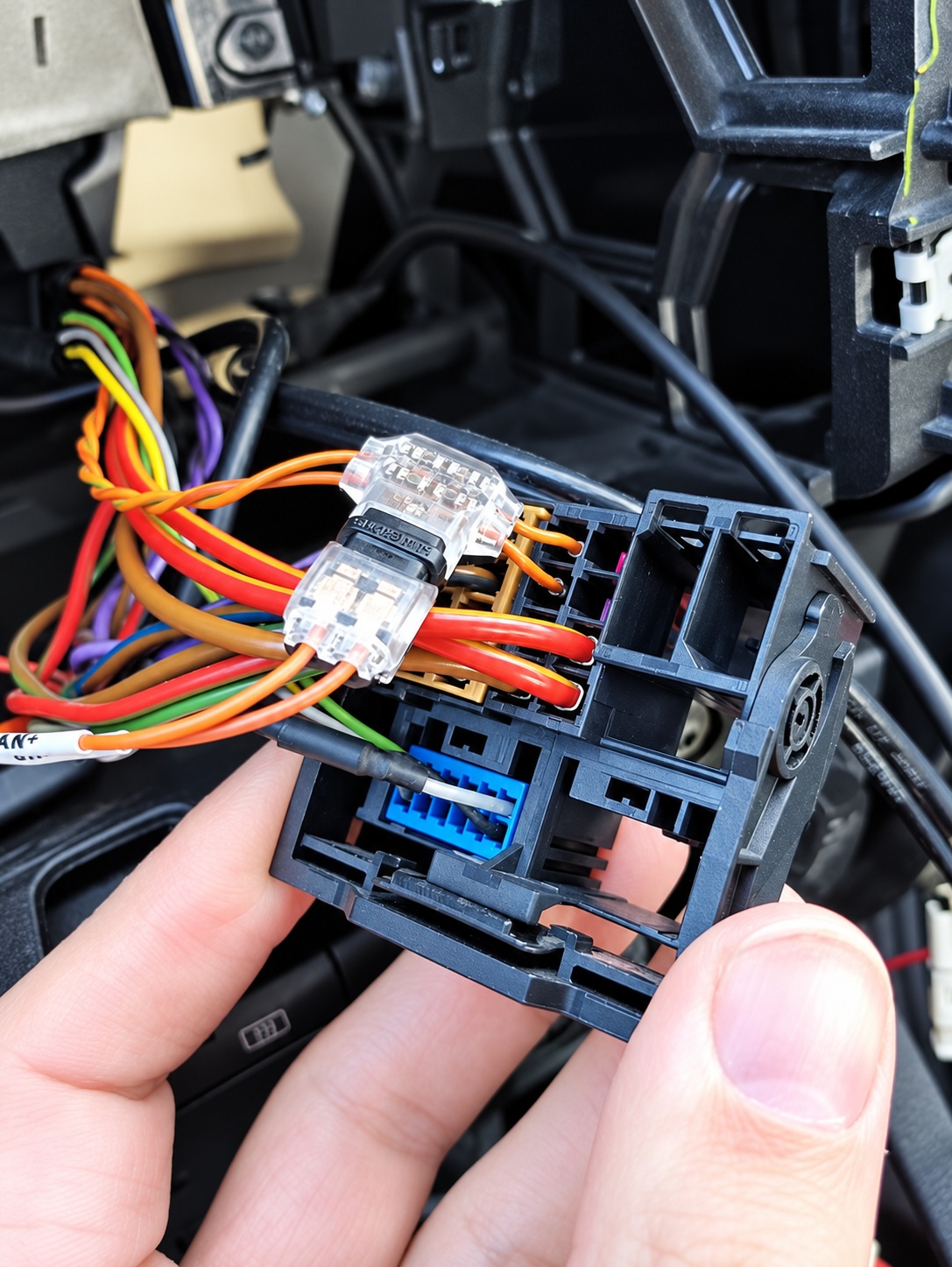
| 9 | CANBUS connection | CAN+ = CAN High (H); CAN− = CAN Low (L). Confirm polarity and reliable contact. |
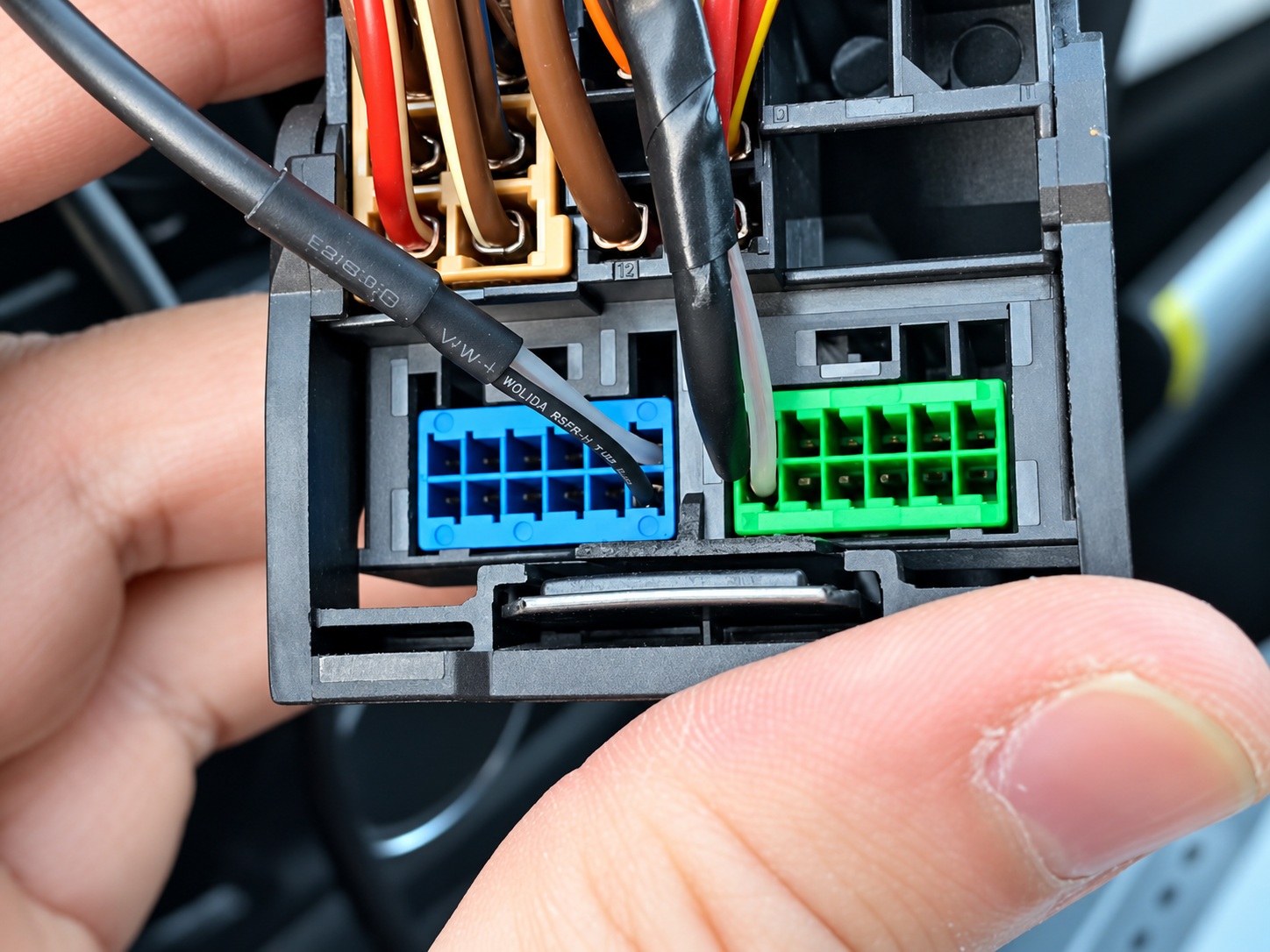
| 10 | Blue video insert in the Quadlock | Use the correct video terminal positions and polarity for the head unit and loom. |
Leave the spare lead marked with an × disconnected. The Quadlock housing in the overview is shown for reference and is not included with the camera kit. Some trunk-handle camera kits share connections 6–10; follow the instructions for the kit actually supplied.
Wiring overview gallery
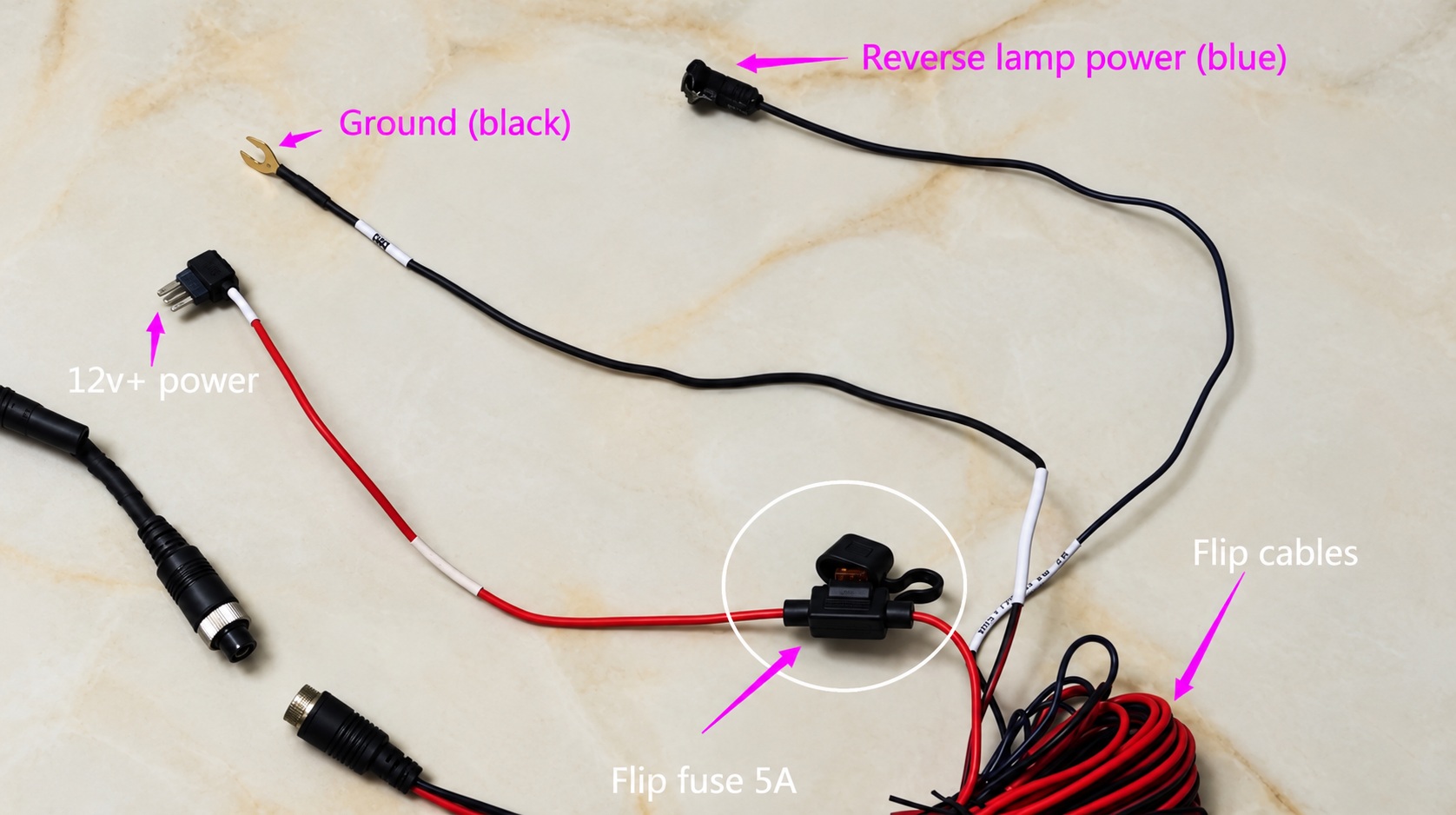
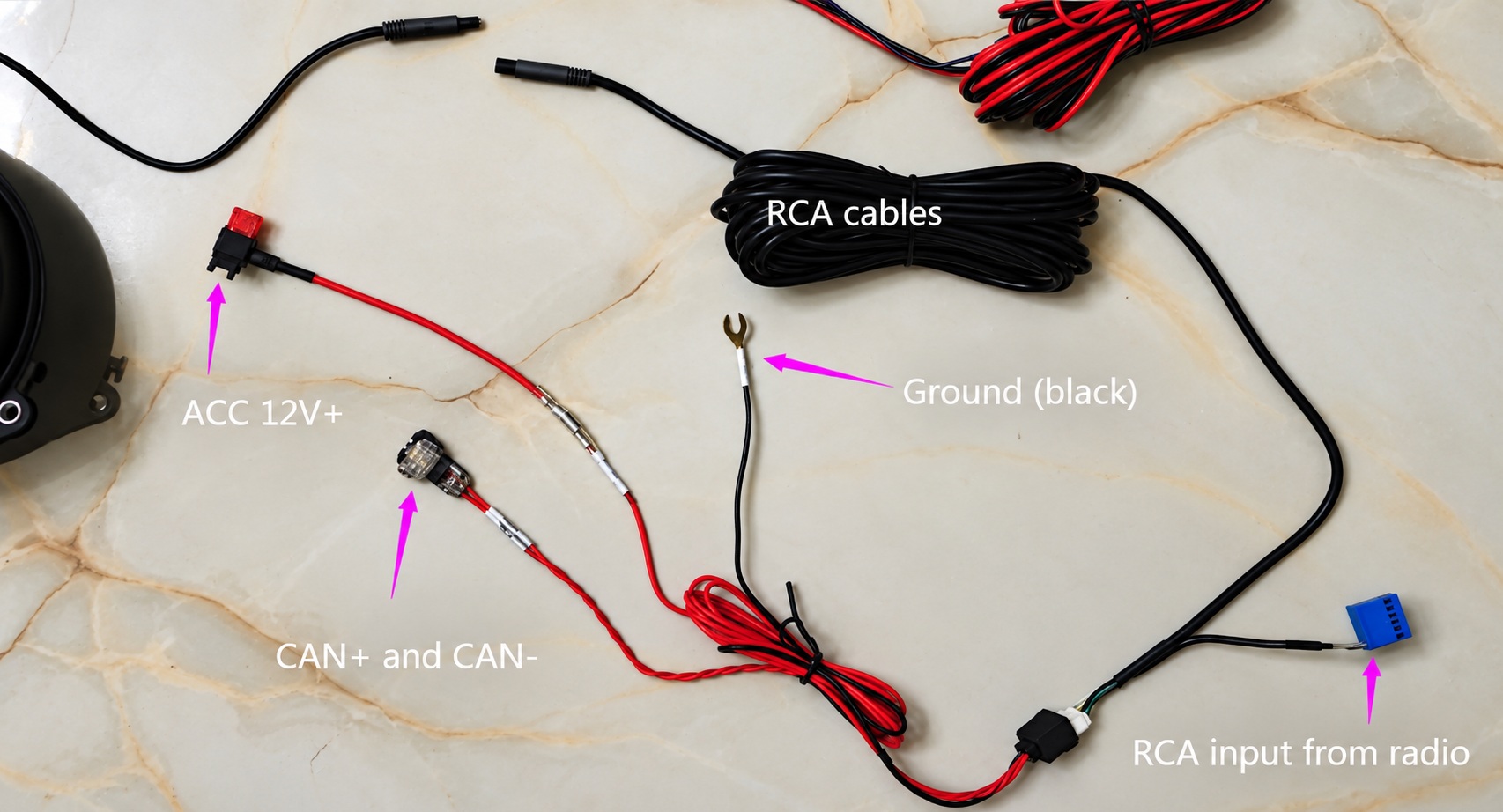
Select an image to enlarge it. The additional loom photographs show the motor, camera and release-switch connections in more detail.
4. Install the badge and tailgate-release connection
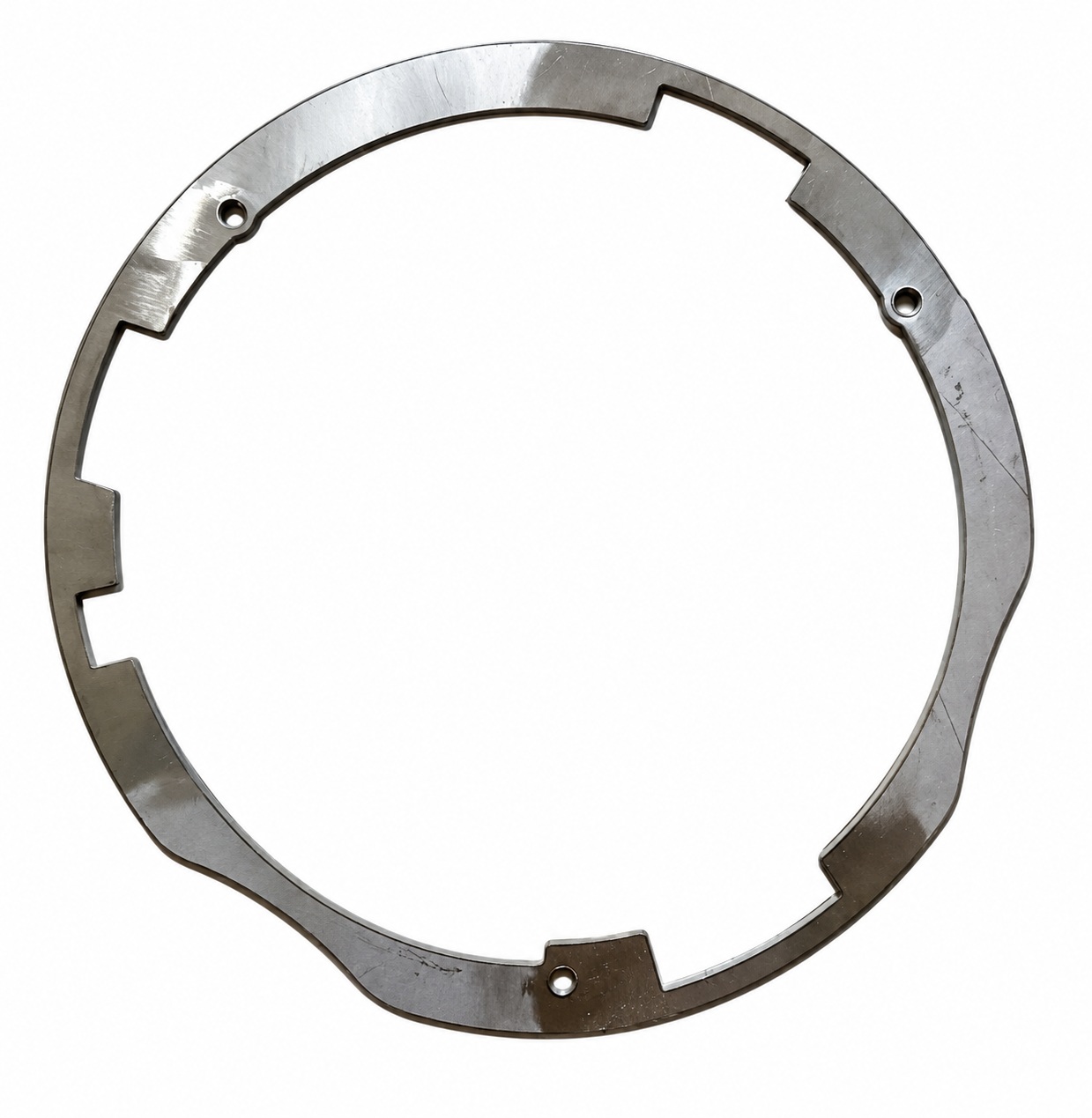
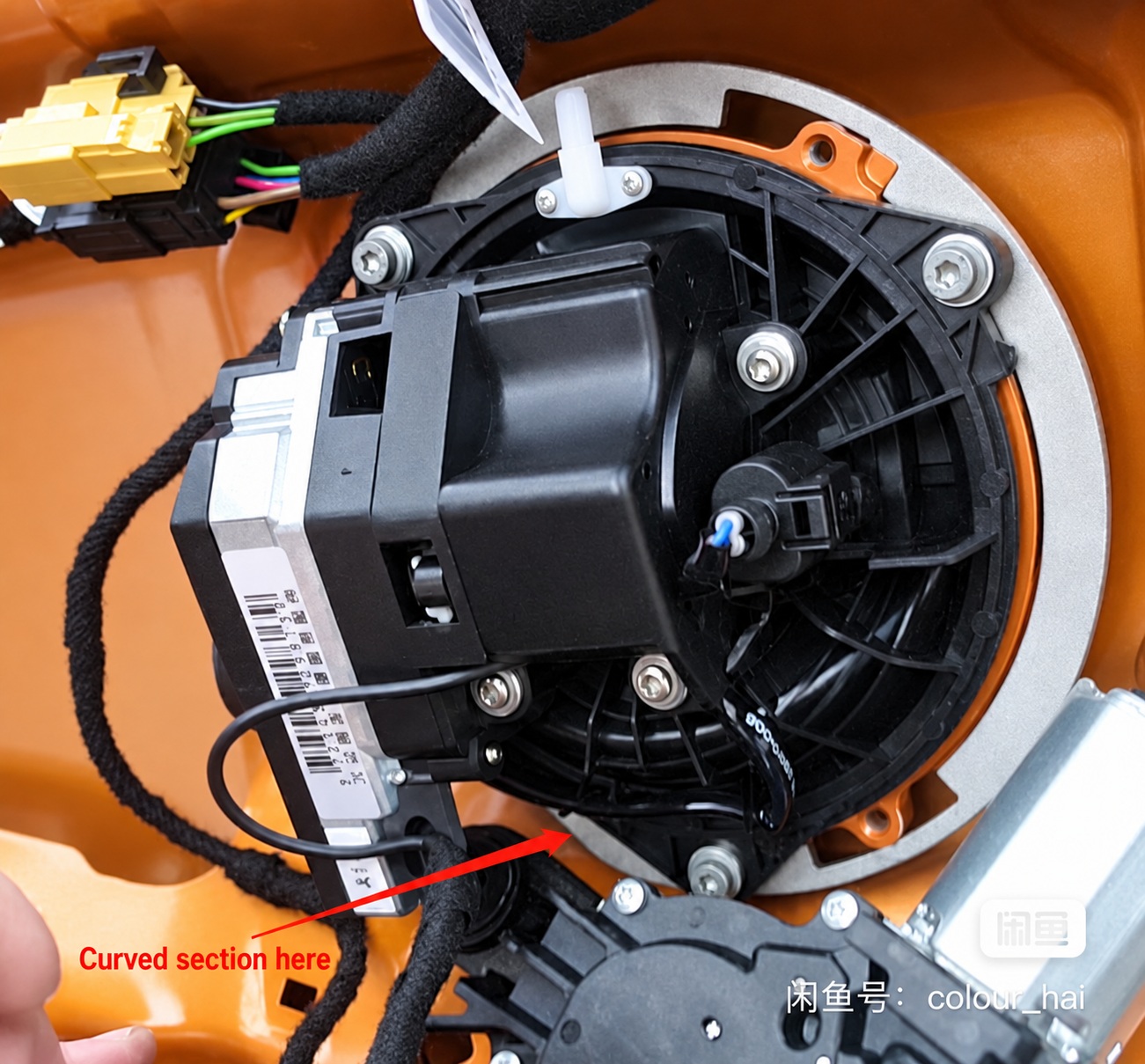
Compare the new badge assembly with the original mounting points before removing or modifying anything. Fit the model-specific bracket where required and make sure the badge can move freely.
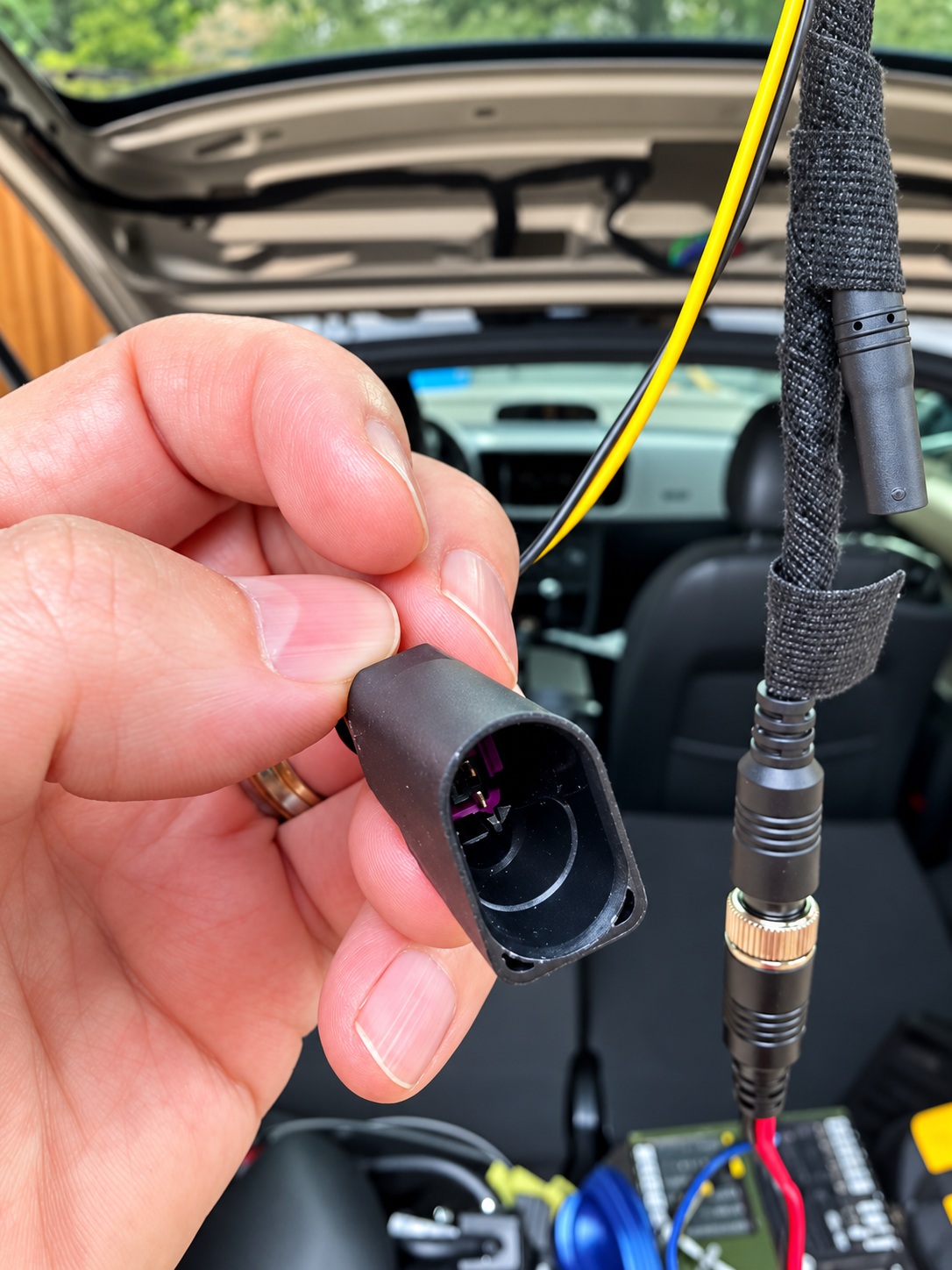
For vehicles with a four-pin original release connector and a two-pin camera connector, use the matching conversion adapter. The diagram illustrates a particular connector arrangement: pin 1 connects to pin 1, and pin 2 connects to pin 2. Pins 3 and 4 are not connected in this adapter. Blue and orange distinguish the two paths in the diagram; they do not specify the actual wire colours. Verify terminal numbering and connector orientation for your vehicle before making any connection. Avoid improvised twisted-wire joints.
Mounting and latch-adapter gallery
5. Connect power, grounds and the reverse-light trigger
Constant supply: connection 5
The badge-motor supply must be connected to constant battery power through the appropriate fuse arrangement. An ignition-switched supply here can prevent the external badge from operating as the tailgate handle when the ignition is off.
Switched supply: connection 6
The camera supply must use the specified ACC/ignition-switched circuit. A permanently live connection can keep the camera powered and contribute to battery drain.
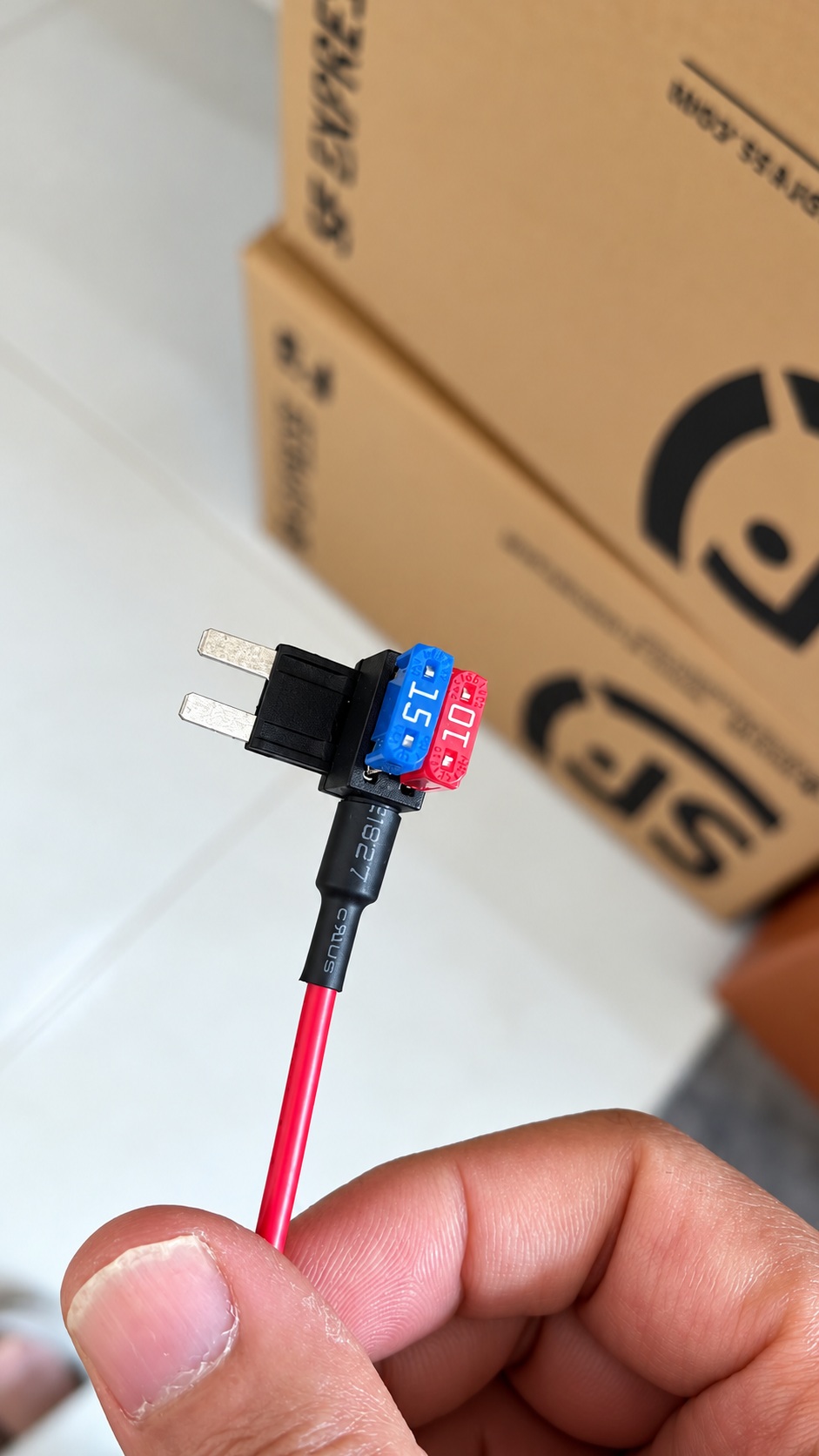
Where an add-a-fuse is used, identify the supply side of the fuse slot and follow the fuse-tap manufacturer’s orientation and circuit requirements. Preserve the original circuit’s correct fuse rating and use the specified protection for the added circuit. Fuse-tap orientation is determined electrically, not by whether its lead points up or down.
Grounds and trigger: connections 3, 4 and 7
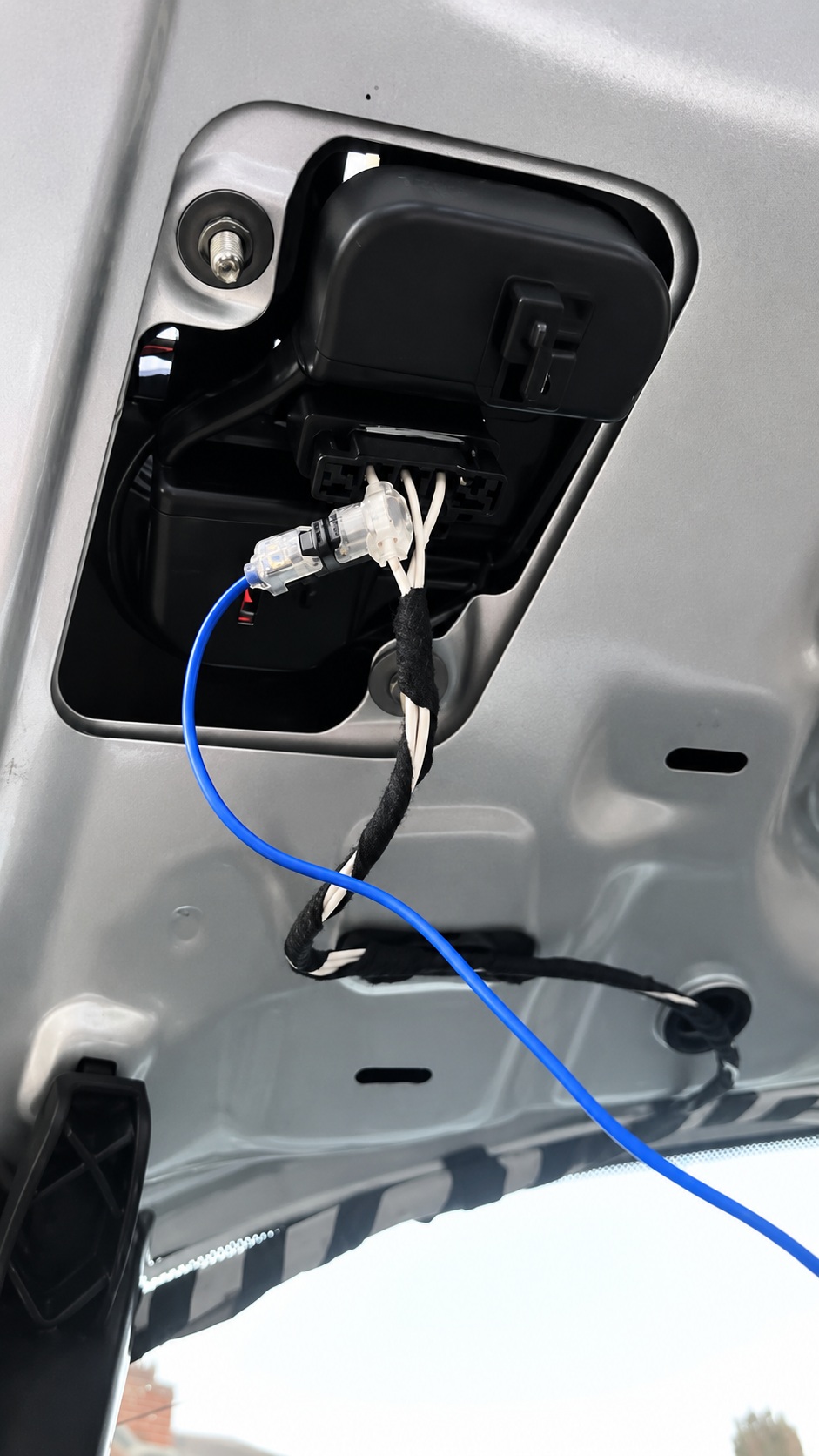
Both grounds need clean, secure metal contact. A loose or painted ground point can cause intermittent operation. Connect the trigger to the correct original reverse-light circuit, especially if the rear lamps have been replaced or modified.
The forum includes one case in which moving the reverse trigger to the other reverse-light circuit resolved unexpected badge operation. Treat this as a vehicle-specific diagnostic example, not an instruction to change sides on every installation.
Power and reverse-trigger gallery
Fuse positions and wire colours in these photographs apply to the illustrated installations. Confirm your own vehicle’s wiring.
6. Connect CANBUS and the video input
Connect CAN+ to CAN High (H) and CAN− to CAN Low (L). Check the vehicle’s wiring information; wire colour alone is not enough to identify a circuit. Make sure any supplied tap or connector makes a secure electrical connection without leaving exposed conductors.
Seat the blue video insert fully in the Quadlock and check the camera’s video-terminal positions and polarity. If a blue insert is already fitted, inspect its existing terminals and functions before replacing it. Where appropriate, transfer the camera terminals into the existing housing using the correct depinning procedure and terminal positions. Do not discard an existing insert or remove occupied terminals without identifying their purpose.
CANBUS and Quadlock gallery
7. Confirm normal operation
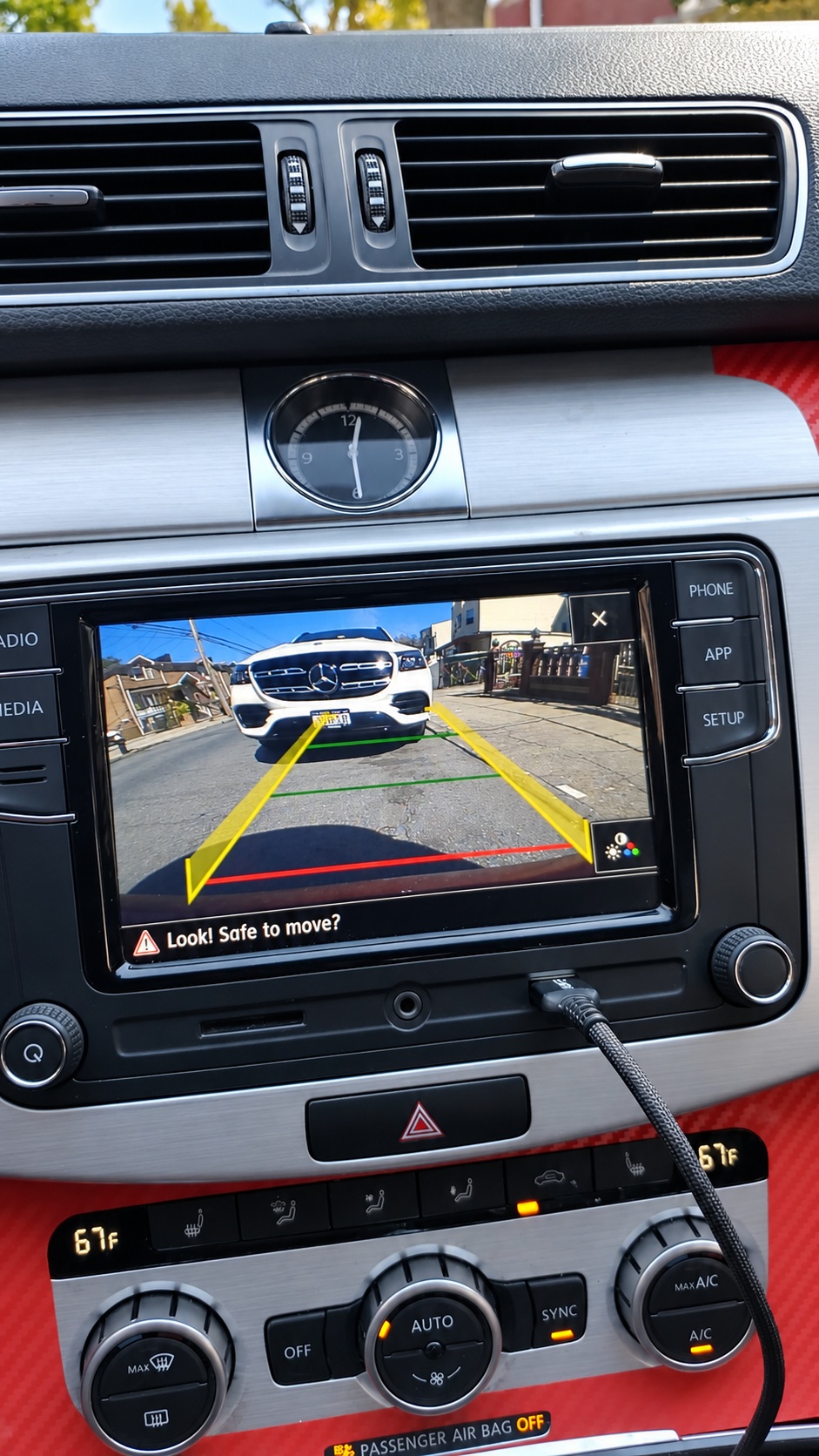
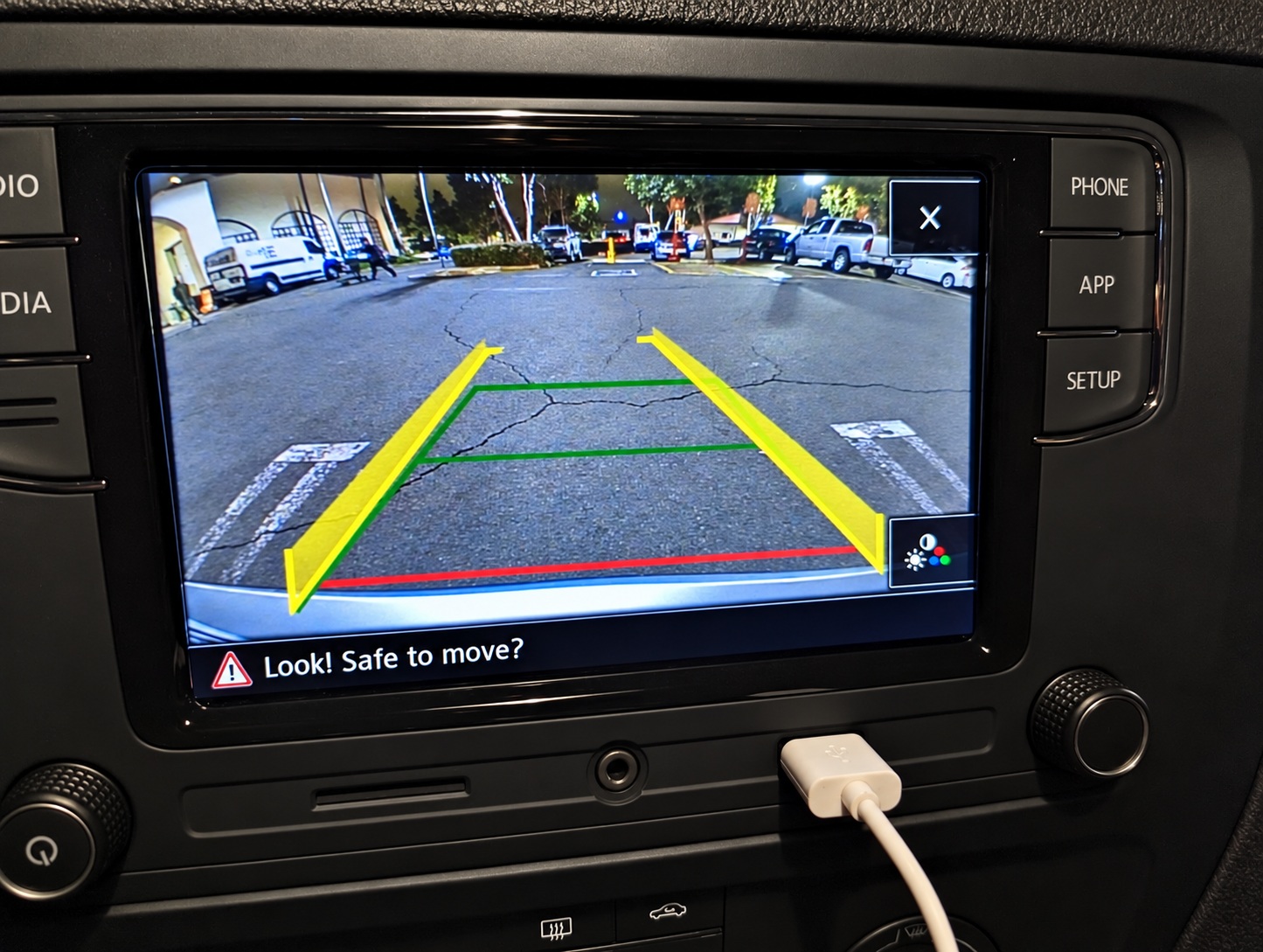
With the tailgate closed, check that the badge opens when reverse is selected, the radio displays a clear rear view, and the kit’s dynamic guidelines respond as expected. Then check badge retraction, normal tailgate opening and operation after an ignition cycle.
Working camera examples
8. Troubleshooting by symptom
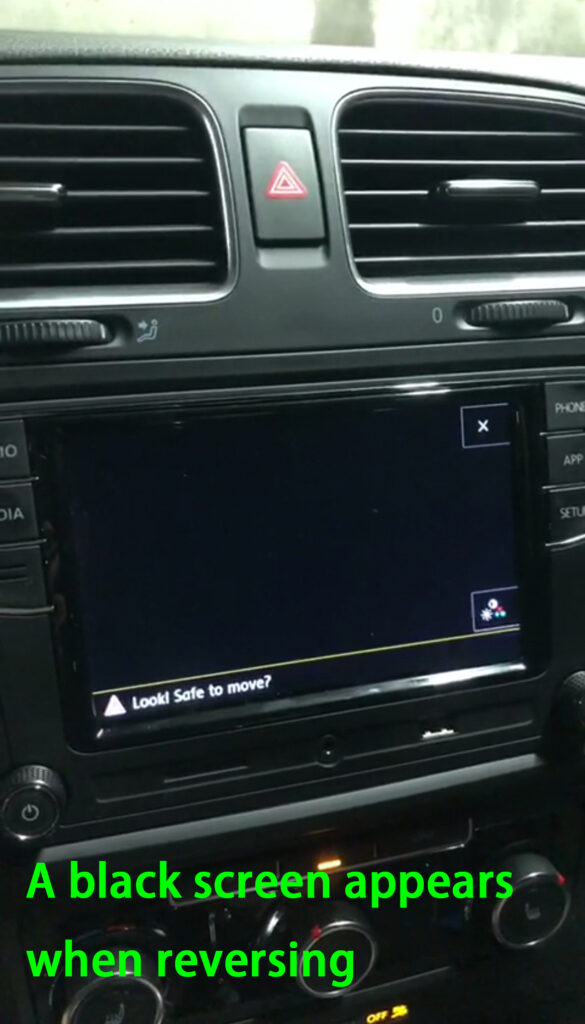
Black screen with no camera-system error message
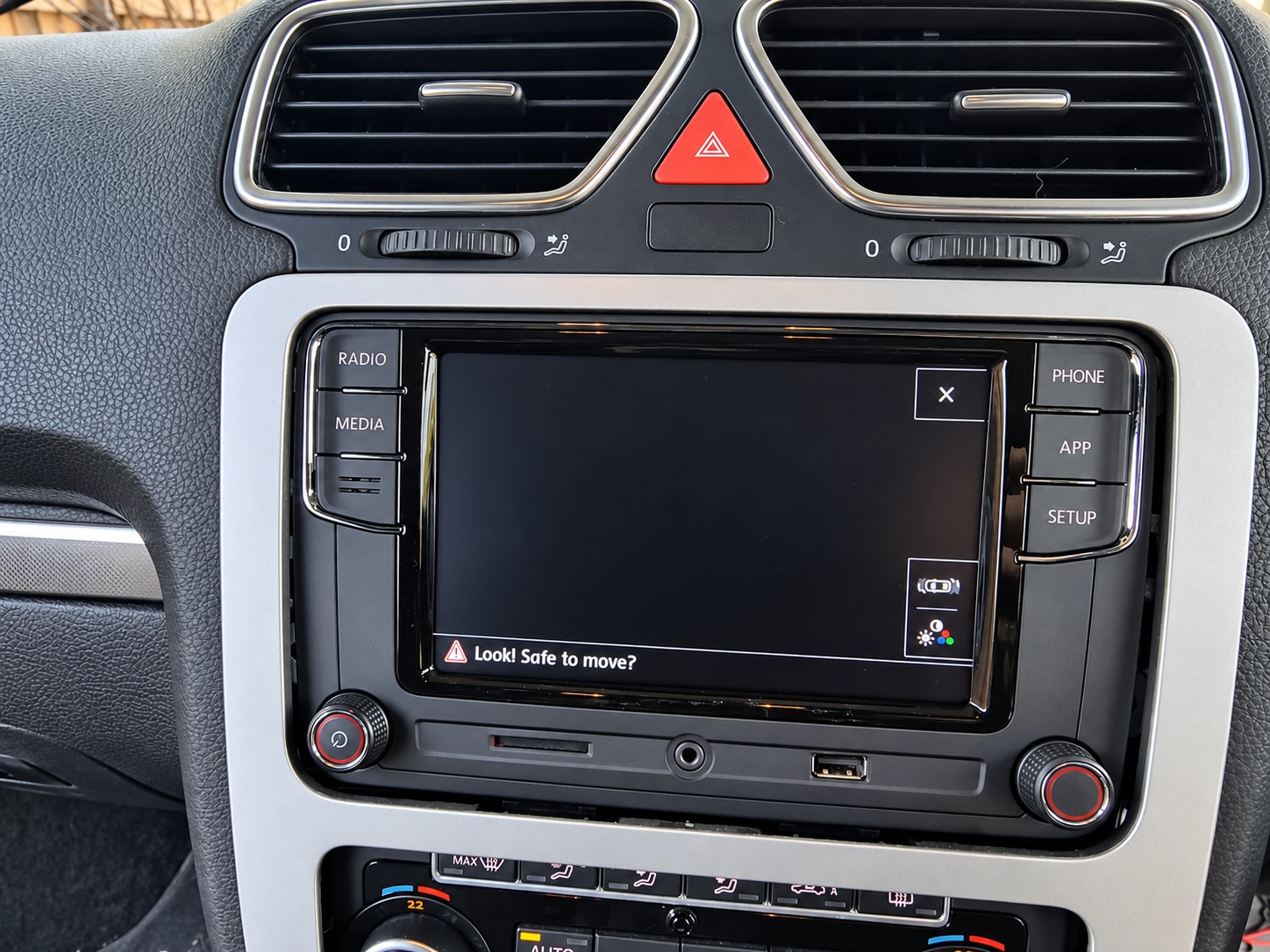
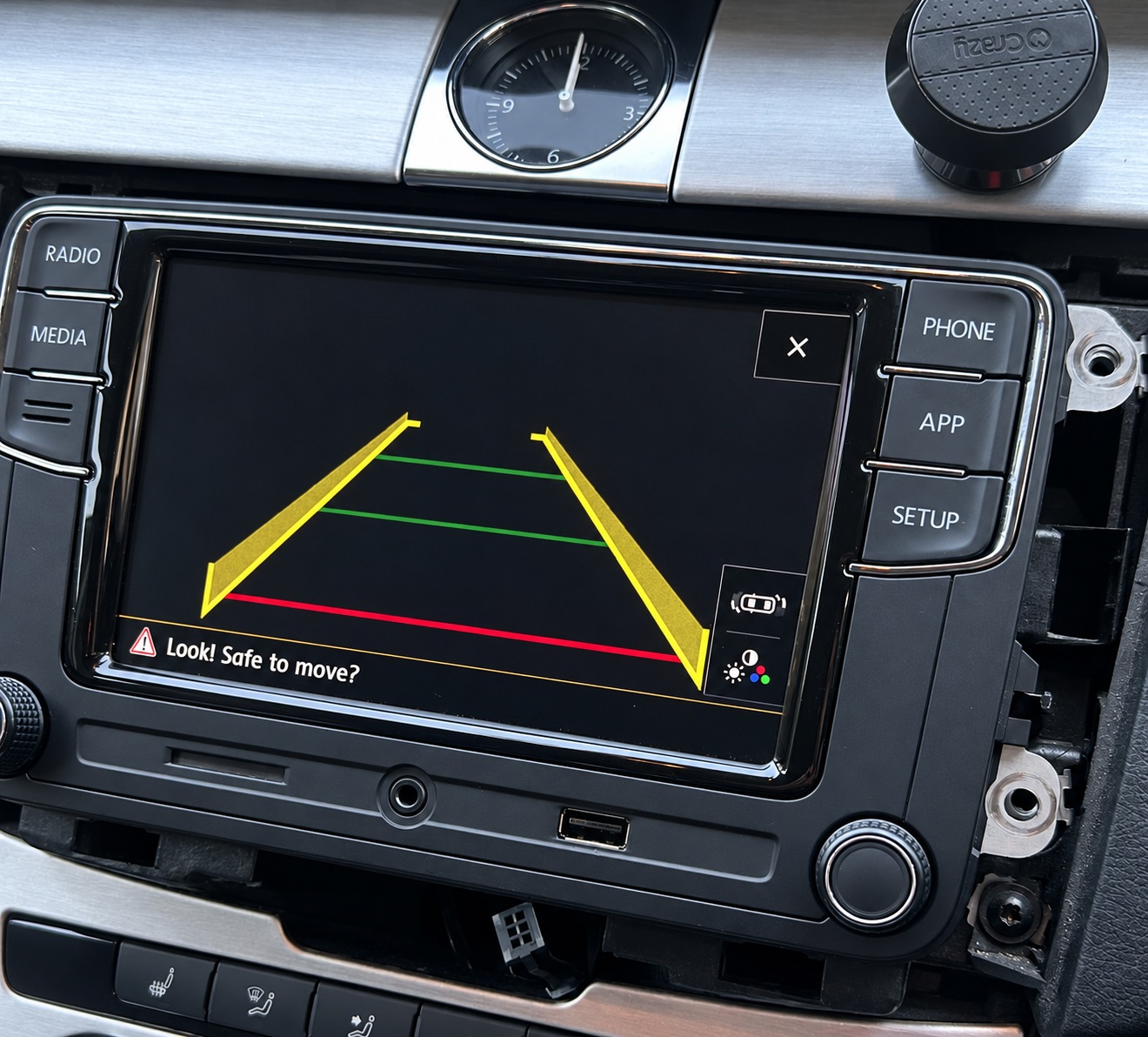
First close the tailgate and repeat the test. Check whether the badge actually opens. A black image with visible parking guidelines can be consistent with an operating camera whose lens is still covered, but it does not by itself prove that every camera connection is correct.
If the badge stays closed, inspect connections 2–5: the motor connector, reverse trigger, ground and constant battery feed. Make sure the mechanism is not obstructed. Check the motor circuit before assuming that the video connection is the cause.
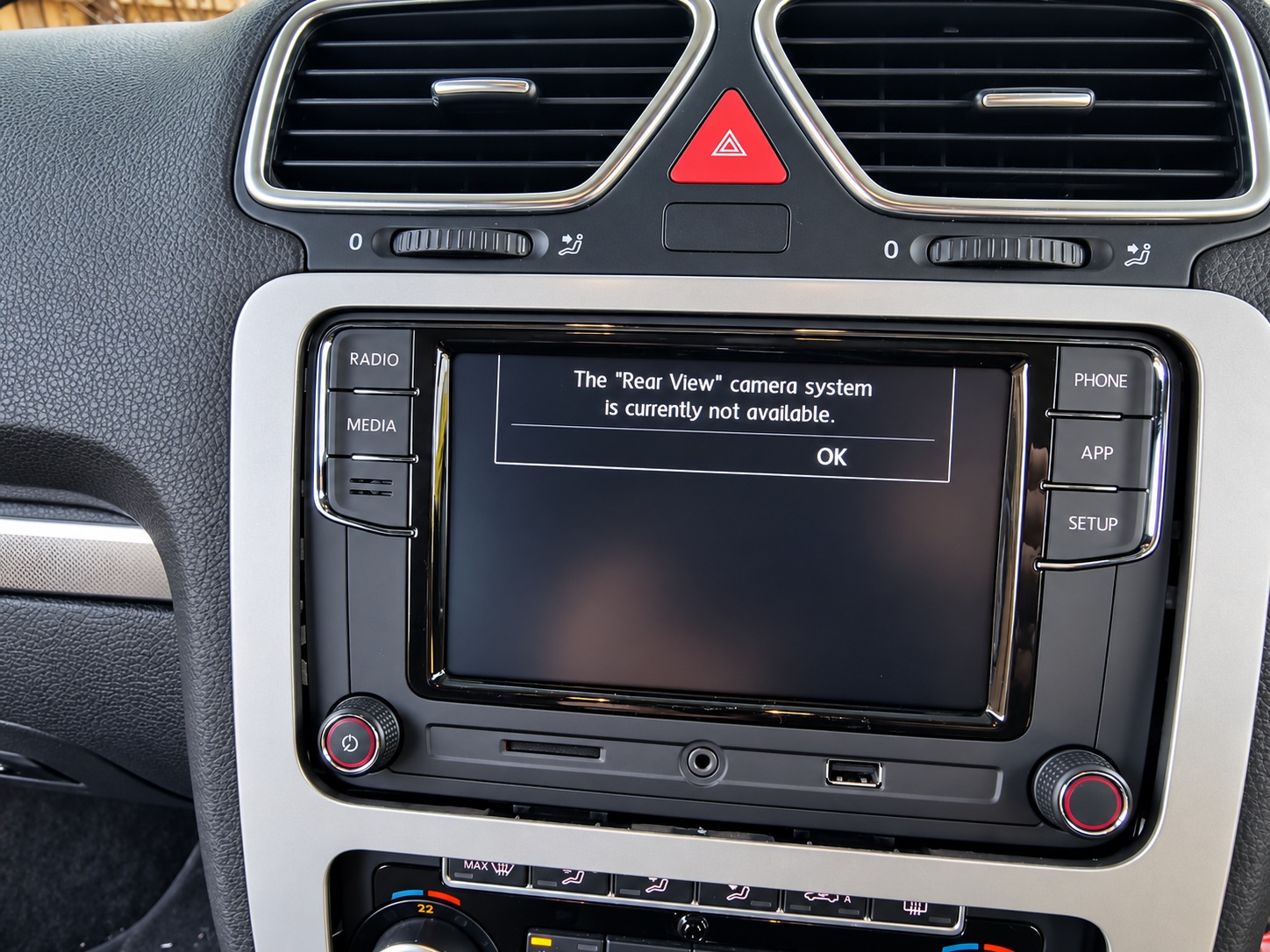
“The Rear View camera system is currently not available”
This message indicates that the radio has entered its camera function but is not receiving an acceptable image. It is consistent with camera activation and a reverse request reaching the radio; it is not a complete test of every gateway or CANBUS connection.
Check connections 6, 7, 8 and 10: switched camera power, ground, the camera connector and the blue video insert. Inspect loose plugs, supply voltage, terminal placement and video polarity.
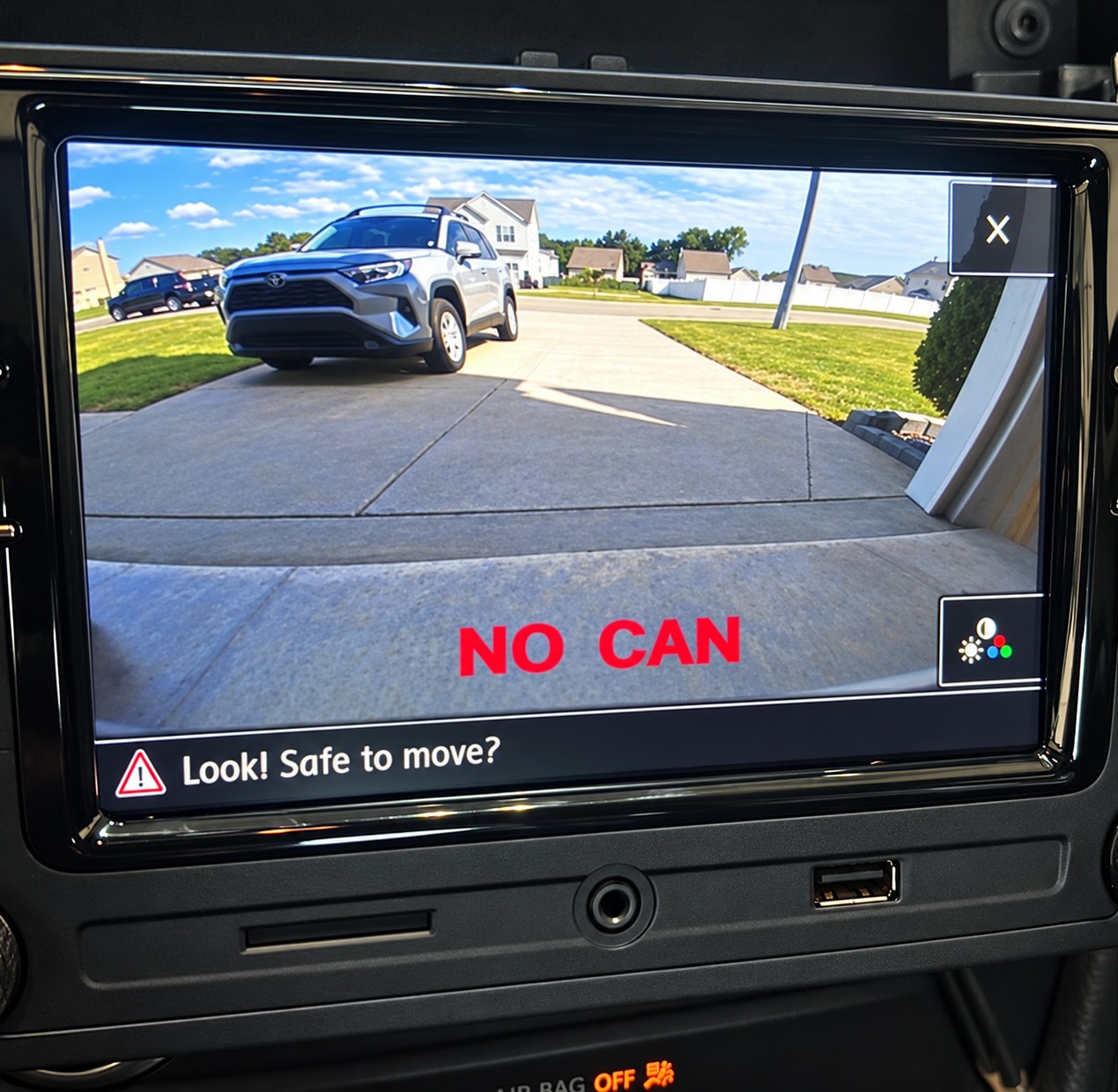
Image present, but “NO CAN” appears or dynamic guidelines do not work
Check connection 9. Reversed CAN H/L wiring, poor contact or an incompletely seated tap can prevent the camera from receiving the vehicle data needed for dynamic guidelines, even when a video image is visible.
Image appears intermittently
Start with connection 7 and the camera supply. Inspect ground continuity, loose terminals and connectors, and any cable section that moves with the tailgate. Check the corresponding motor ground and trigger if badge movement is also intermittent.
Fault examples gallery
9. Installation videos and further help
- Golf MK5 customer installation example — review the modification required around the rear-wiper mechanism.
- Working with the existing blue Quadlock insert — connector and terminal-transfer demonstration.
- Additional installation video from the original guide.
If you need help, send Ddren your vehicle model, production year, head-unit model, a description of the symptom and clear photographs of the relevant connections. State whether the badge opens, whether an image appears, and whether the radio shows an error message.
Adapted and reorganised from Ddren’s original flip badge camera forum guide. Photo galleries include installation examples from that post; layouts and supplied parts can vary.
Leave a Reply
You must be logged in to post a comment.