
How to Choose the Rear View Camera For RCD330 or aftermarket Unit
Pre-Installation Notes
1. Simplified Testing First:
– Do NOT hide wires, remove trunk liners, or fix the camera position initially.
– Test functionality by temporarily connecting components:
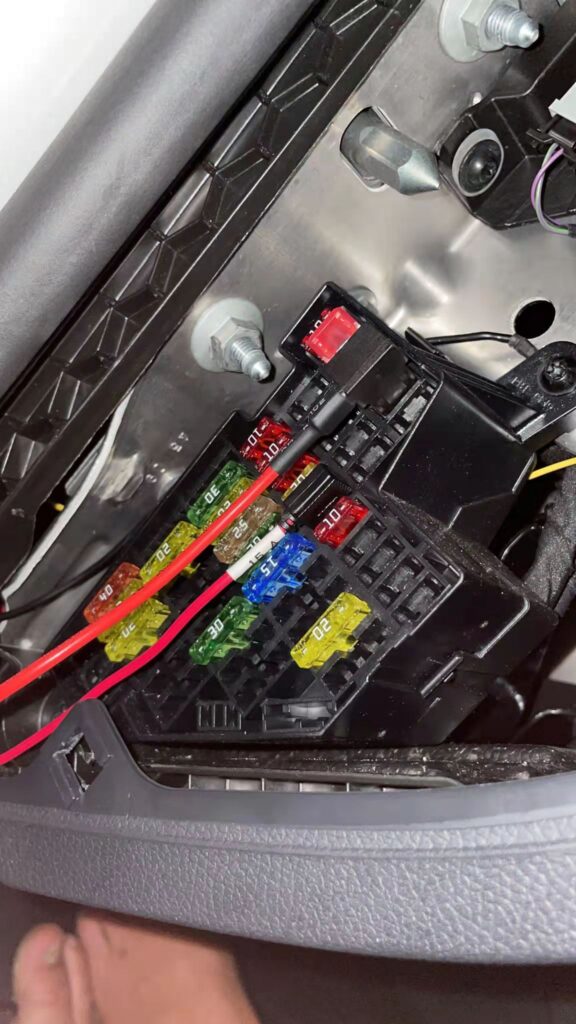
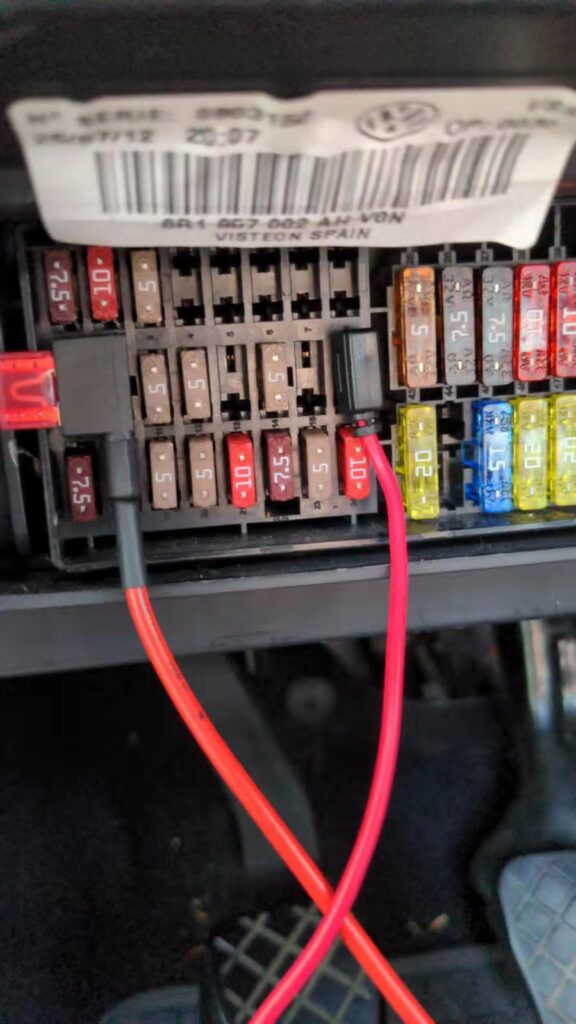
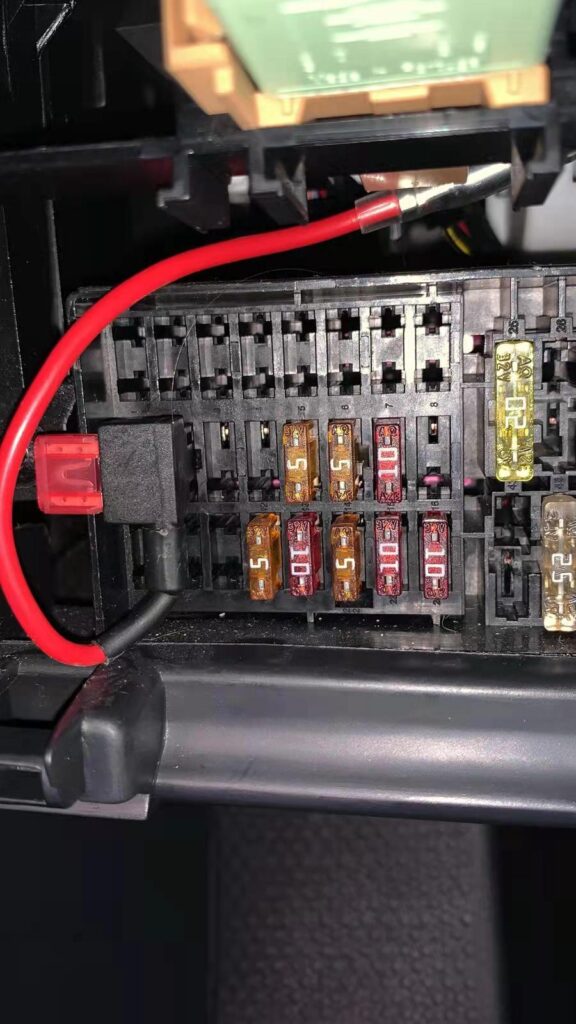
– Insert the provided fuse into the designated slot in the fuse box.
– Secure the ground wire to the vehicle’s metal body (avoid plastic parts for stability).
– Avoid pulling wires forcefully to prevent internal damage.
– Only proceed to hide wires after confirming the camera works. Ensure cable paths avoid pinch points.
—
Camera-Specific Installation Guides
1. License Plate Light Camera
Compatibility: All Volkswagen, Skoda, and SEAT models.
Order Note: Include your vehicle model and production year in the order remarks for pre-configured brackets. Original license plate lights remain intact.
Installation:
– Locate the ACC 12V slot in the fuse box and insert the red fuse tap (output end facing downward).
– Attach the ground wire to the vehicle’s metal body.
License Plate Light Rear View Camera (For all cars)
—
2. Trunk Handle Camera
Compatibility:
– Volkswagen Tiguan MK1 (2009–2018), Jetta (2011–2018), Passat B7 (2010–2018), Sharan (2010–2018), Touran (2011–2015).
Installation:
– Locate the ACC 12V slot in the fuse box and insert the red fuse tap (output end facing downward).
– Secure the ground wire to the vehicle’s metal body.
Trunk Handle Dynamic Trajectory Rear View Camera (For VW Passat / Jetta / Tiguan /Sharn)
—
3. Flip Emblem Camera
Compatibility:
– Volkswagen Beetle, CC, Golf MK6/MK7, EOS; Golf MK5 requires rear wiper modification.
Critical Warning: Connect to BAT 12V – Using ACC 12V here will prevent trunk opening from outside when the engine is off.
Installation:
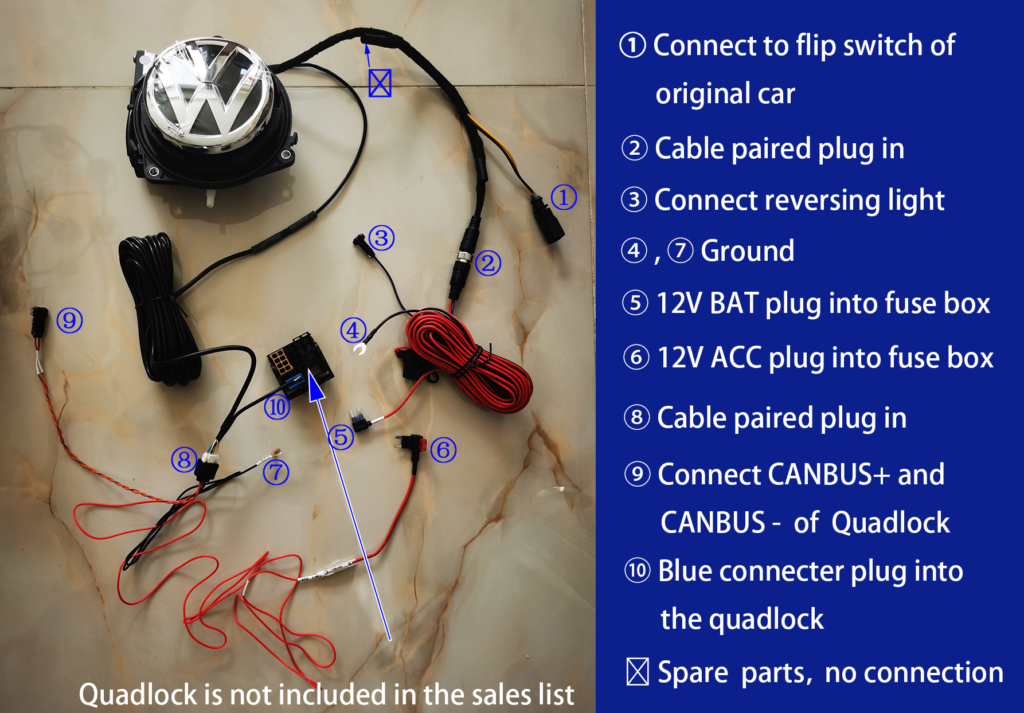
1. Power Connections:
– Insert the red fuse tap into the ACC 12V slot (output end downward).
– Insert the blue fuse tap into the BAT 12V slot (output end downward).
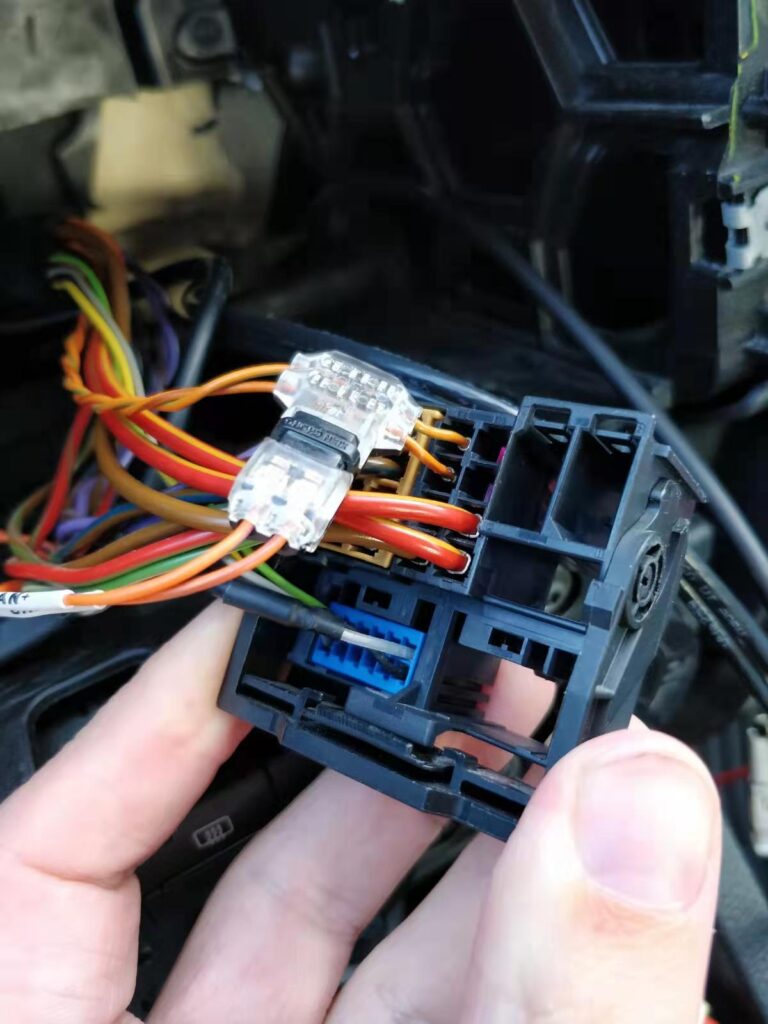
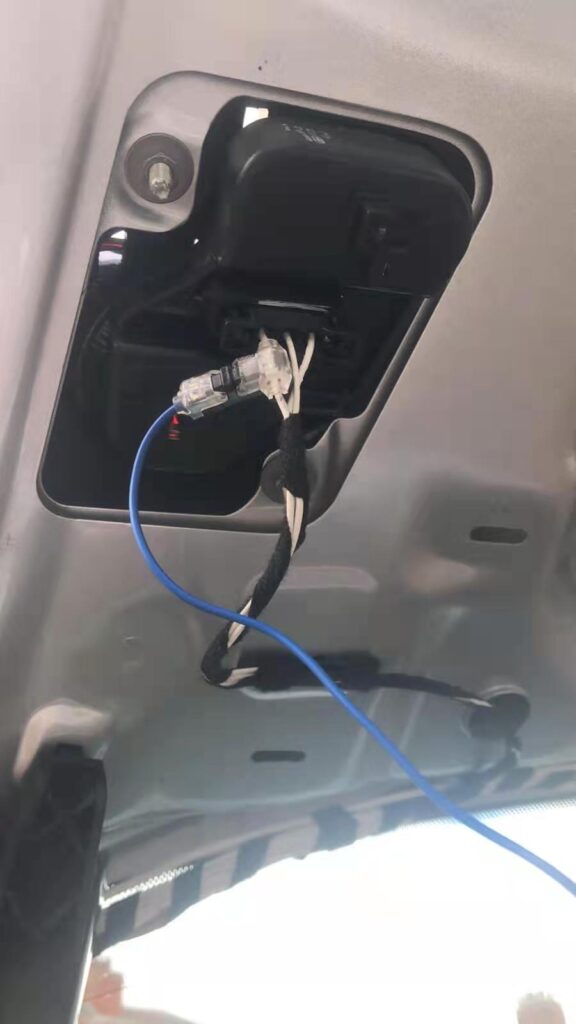
2. Reverse Light Wiring: Connect the blue wire to the reverse light’s positive terminal.
3. Secure the ground wire to the vehicle’s metal body.
Flip Badge Dynamic Trajectory Camera (Silver Emblem)
Flip Badge Dynamic Trajectory Camera (Smoked Black Emblem)
Golf 8 Style Flip Badge Dynamic Trajectory Camera
—
4. Sirocco Camera
Compatibility:
– Volkswagen Scirocco.
Critical Warning: Connect to BAT 12V – Using ACC 12V here will prevent trunk opening from outside when the engine is off.
Installation:
1. Power Connections: Locate the ACC 12V slot in the fuse box and insert the red fuse tap (output end facing downward).
2. Reverse Light Wiring: Connect the blue wire to the reverse light’s positive terminal.
3. Secure the ground wire to the vehicle’s metal body.
Flush-Mount Rear View Camera for VW Scirocco / T5 / Caddy
—
Post-Installation Steps
1. Test All Functions: Verify power, video feed, and reverse-triggered activation.
2. Hide Wires: Route cables along existing harnesses or body gaps, avoiding areas prone to crushing.
3. Reinstall interior panels securely.
Key Reminders:
– Use fuses matching the vehicle’s specifications to avoid overload.
– For flip emblem cameras, strictly follow ACC/BAT distinctions to ensure proper functionality.
Leave a Reply
You must be logged in to post a comment.